The one solution SERVICEÂ CONTRACTORS will ever need
Built by Service Pros For Service Pros
Run your business smoothly with our simple software packed with all the features in one place.

Powerful Features Everyone is Talking About
Successful service contractors use MotionOps.
The essential software every contractor needs to scale.
Field Operations
Powerful mobile app workflows that are loved and easy to follow, even by the older and less tech savvy technicians.
Appointments & Schedule
Never miss a work appointment while in the field.
Push & Email Notifications
Send and receive push and email notifications, for your staff and clients about important appointment or work order updates.

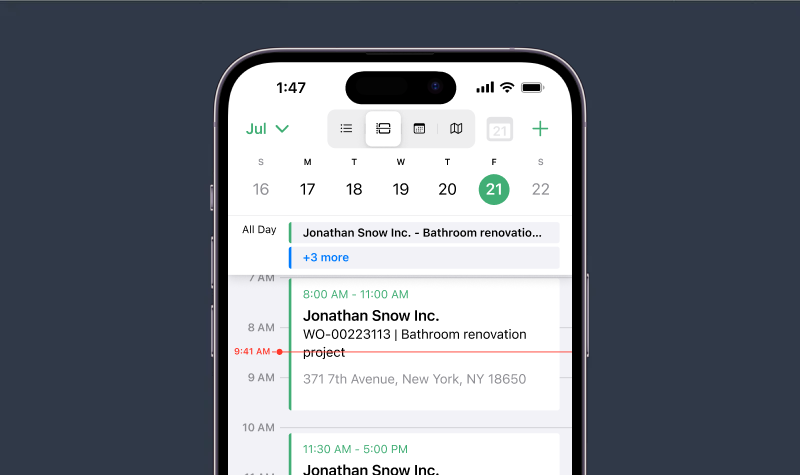
My Schedule
Keep track of your own appointments on our calendar view. Employees can see their calendar's easily in the mobile app. No more miscommunication.

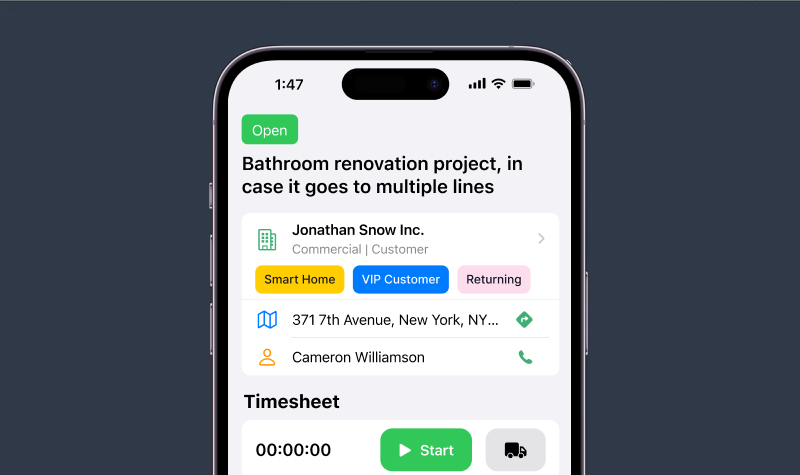
Work Details & Directions
See work description, and service location contacts and directions. Always know where you’re headed next and arrive at the job site fully briefed.

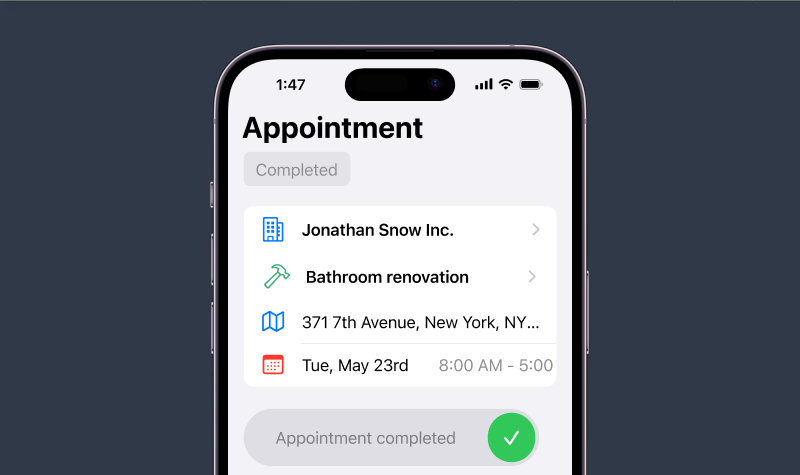
Complete Appointments
Mark the Appointment as complete, and signal the back office that you are done with that appointment and are ready to head to the next one.

Mobile Schedule
Easily view your appointments and events with our mobile app. Access your daily, weekly, or monthly schedule in a simple, organized layout. Focus on your work while staying informed about what’s next - no extra hassle.
Field Work Management
Bring your MotionOps with you anywhere. Fully responsive web app on your phone and dedicated iOS and Android Technicians application.
GPSÂ Time Tracking
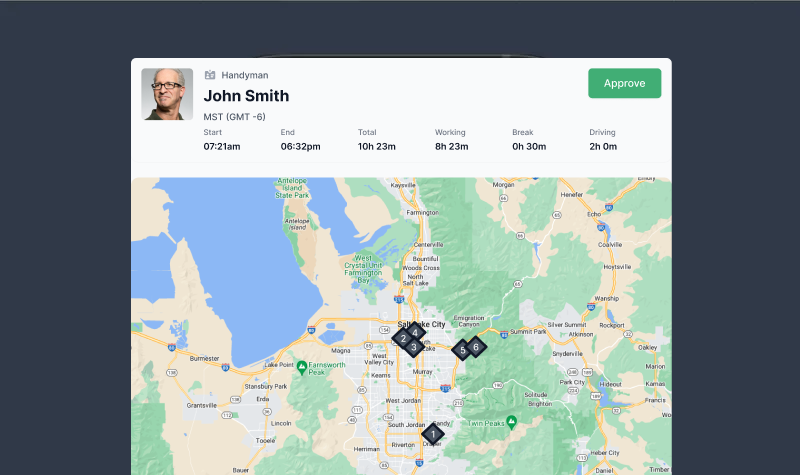
Use the clock-in and clock-out functionality to keep track of employee time sheets. Quickly see the geolocation of the timesheet on a map view, for better QA.
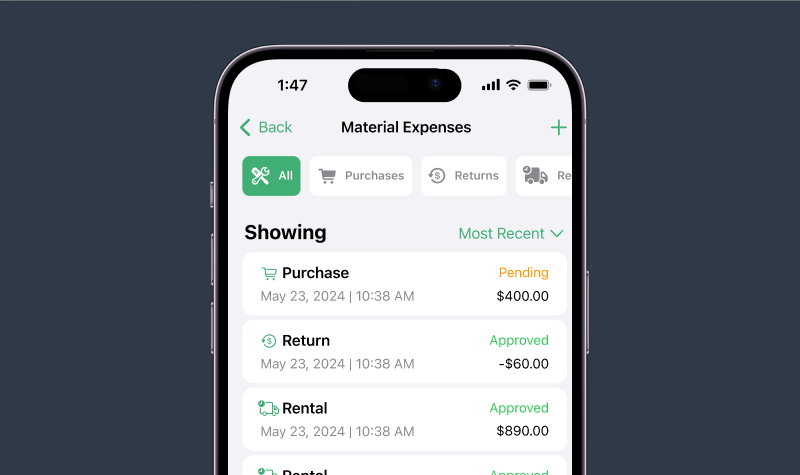
Field Expense Tracking
No more misplaced and uninvoiced material receipts. Record and QA all purchases, returns, tools, and rentals for the specific job.
Know the exact auto calculated profitability on each job.
Job Photos &Â Videos
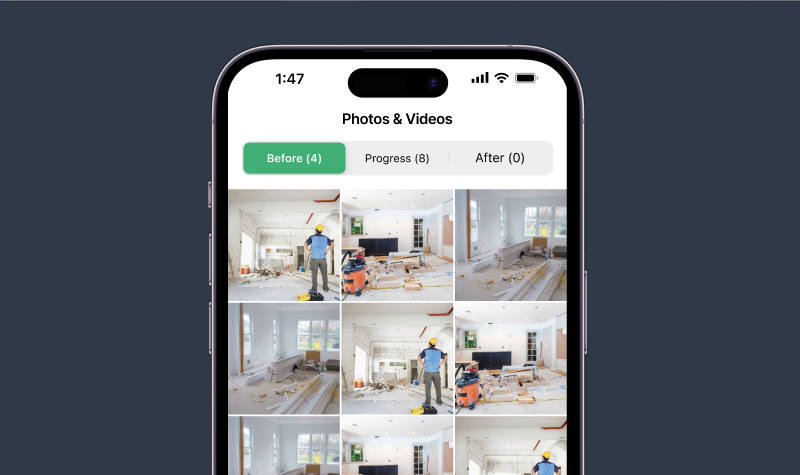
Take before, after, and progress photos of your project. Upload them to work orders, or invoices to have the full proof of work with the client and the back office.

Field Notes
View all the internal notes added by team members who worked on the same job. Stay in the loop with the work progress, or any other important information.

Spanish Language Support
The MotionOps mobile app is now available in Spanish and ready to support your team members' day-to-day needs.

AI Receipt Capture
Automatically scans receipts to prefill Material Cost and Receipt Date, saving you time on manual entry.

Cost Plus Automated Tracking
MotionOps can handle both fixed labor projects and cost plus materials projects with ease. Simply take a photo of your materials receipt, and MotionOps will automatically add the cost to your project invoice, including a predetermined markup or margin.

Job Videos
Snap high-quality photos and record videos directly in the app - no switching tools.

Digital Business Cards
Every employee gets a personalized, branded digital business card making it faster and more professional to share contact details.

Photo Annotations & Markup
Mark up photos with freehand drawings, shapes, arrows, lines and text to highlight important details.

My Timesheet Summary
A summary of your weekly timesheets to keep track of your hours and payroll.

Workflows
No more misplaced paper. Streamline your processes and increase the profitability.
On-Site Estimates
Use the MotionOps app for your on-sites to easily gather notes, photos, and details needed to put your estimates together.

Job Walkthrough
Do a pre-work walkthrough with the customer and grab signatures to verify that they agree with the service terms, job scope and pricing. Offer upsells or record changes when the situation in the field is different from what you were initially told.

Field Proposals
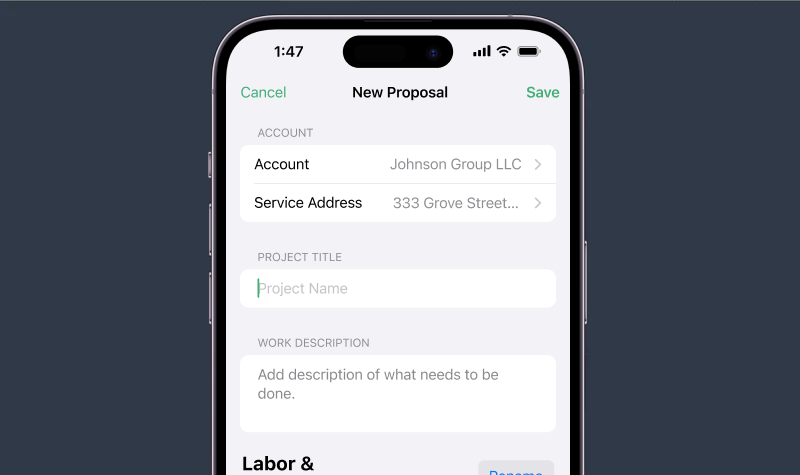
Create proposals quickly while you are on the fly. Send them out for approval, or collect the signed authorization while still in the customer's house.

Change Order Requests
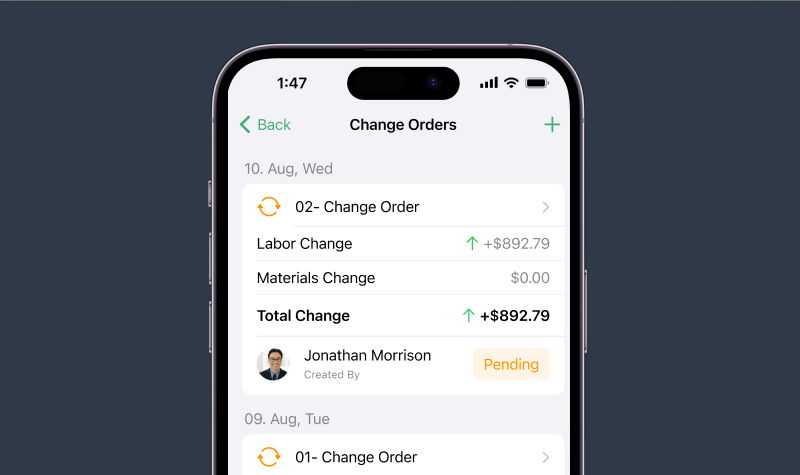
Field Technicians and Account Managers can start and manage the change order process with your clients. Ensure all your upsells are legally covered, and lower the dispute rates.

Checklists
Access job-specific checklists on the go, track completed tasks in real-time, and ensure no steps are missed. Complete detailed checklists with multiple-choice questions, yes and no answer questions, ratings, and inputs to better manage your quality standards.

Contract Signing
Lower your liability and improve the customer experience.
Service Agreements
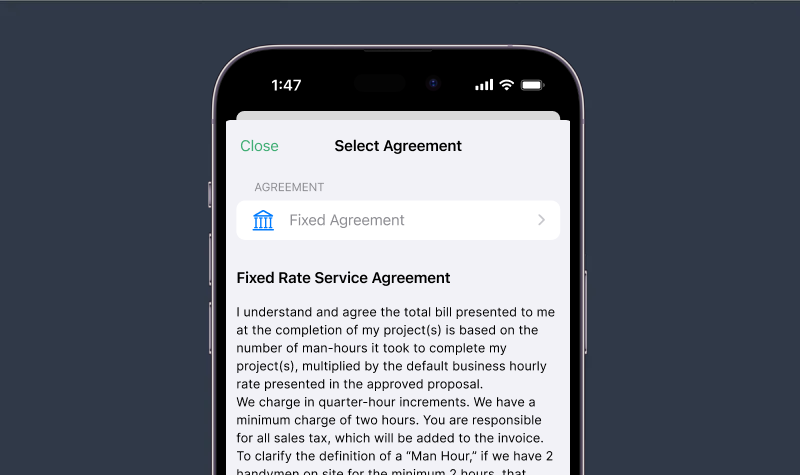
Use digital agreements to finalize terms with clients upfront. Choose from our templates or upload your own.

Signatures and Approvals
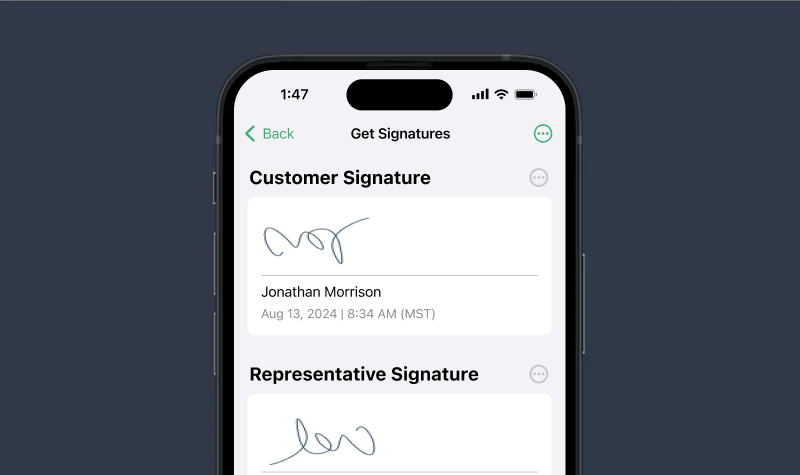
Secure customer signatures or upload proof of approval, such as email or SMS screenshots, to ensure you're always protected.

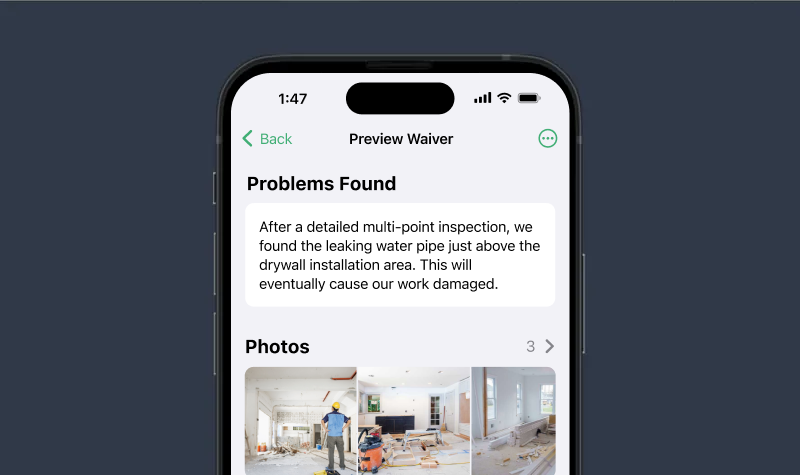
Job Waivers
Use a professional waiver to have a paper trail when a customer wants to you do something against your professional recommendation. Avoid the liability. 
Comes in handy as an effective upsell mechanism too.

Field Invoice Sign-off
Effortlessly collect customer signature approval for invoices directly from the mobile app, ensuring a smooth process and avoiding any surprises for you and your customers.

Remote Signatures
Allow your clients to sign documents electronically. No more printing, scanning, or mailing – everything can be done quickly and securely online.

Back Office
Everything your back-office needs for an effective and efficient operations.
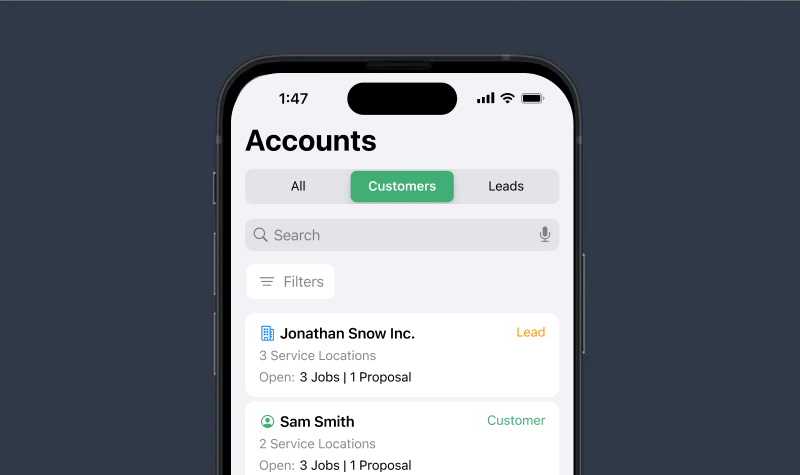
Accounts
Keep your leads and customers in one place. Easy to search and filter. No duplications.
Smart Search
Quickly locate accounts using search, accessing a unified database of leads and customers to avoid duplicate data entry.

Customer Profile
Get a snapshot of your account highlights at a glance, including customer lifetime value, active proposals, work orders, contacts, service locations, and more.

Full Work History
Access the complete account history, including work orders, team assignments, proposal records, and more.

Tags
Use the tags feature to flag different account types. For example: if you have a plumbing & an electric divisions, you can assign ‘plumbing’ and ‘electric’ tags accordingly. Tags can then be used inside filters and reports to empower your custom workflows.

Private Notes
Keep a history of account notes that can be used to allow people working with a client to easily be informed of key account details.

Lead Source Tracking
Easily create and manage custom lead sources to track where your leads are coming from.

Manage Clients on the Field
Access and update customer information anywhere you are. View leads, clients, job history, and proposals directly from your phone so you can make quick decisions, follow up instantly, and keep your team informed - without having to go back to the office.

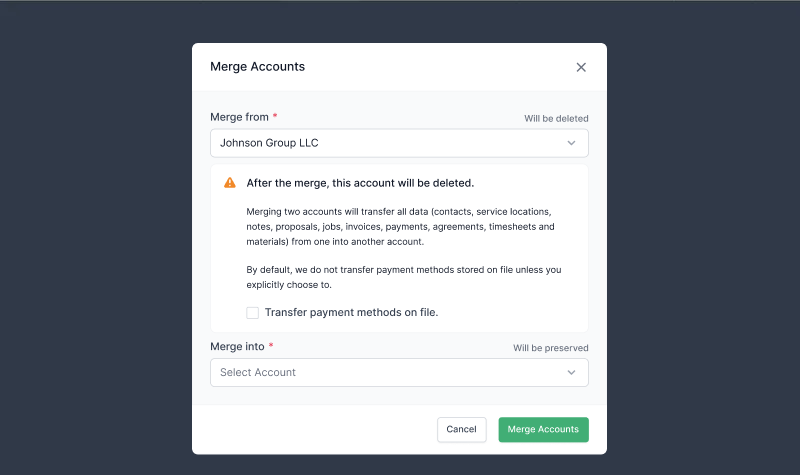
Merge Accounts
Access and update customer information anywhere you are. View leads, clients, job history, and proposals directly from your phone so you can make quick decisions, follow up instantly, and keep your team informed - without having to go back to the office.

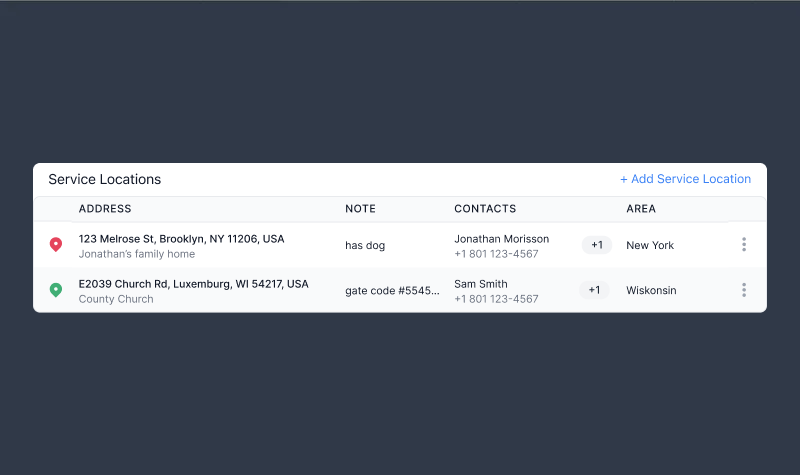
Multiple Service Addresses
Easily manage customers with more than one service location. Store dedicated contacts, location notes, and unique location names for each address - ensuring your team has the right details for every job without confusion.

Store Payment Methods on File
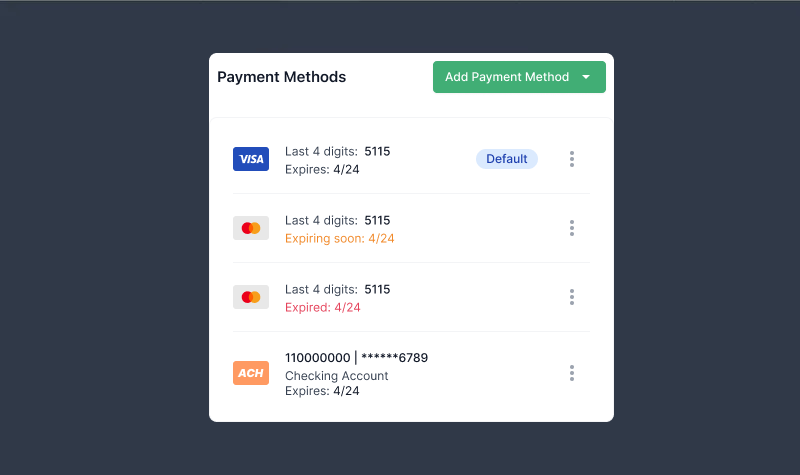
Keep customer payment details securely saved for future use. Whether it’s a credit card or ACH, having payment methods on file means you can process invoices faster, reduce delays, and avoid repeatedly asking clients for their information - making billing smoother for both you and your customers.

Schedule
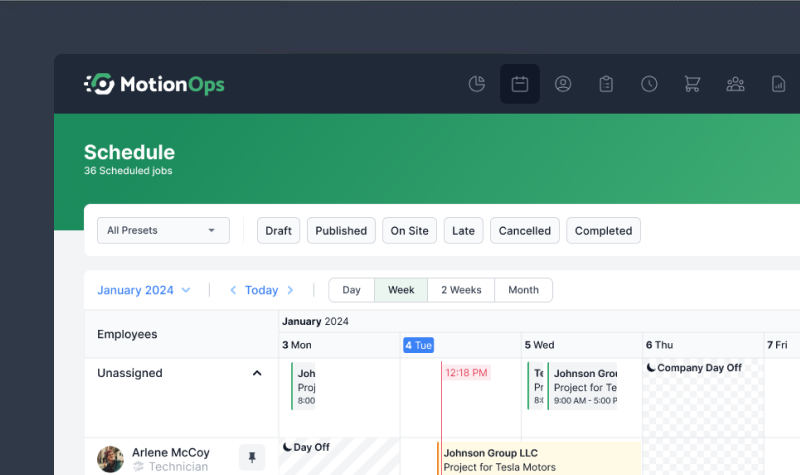
Schedule that scales. Track all your employees schedule at once.
Scalable Team Scheduler
Manage your entire team's schedule from a single, optimized dashboard. Get a clear overview at a glance, enabling faster and smarter scheduling decisions. Built to scale seamlessly for teams of any size.

Appointment Drafts
Create draft appointments, drag & drop them to different time slots or reassign them to another employee before publishing the final version.

Job Instructions
Add specific appointment instructions that appear in the Mobile App and let them know the gate code, tools needed or if there’s a dog in the backyard.

Timezone Switcher
Our calendar automatically adjusts for multiple time zones, making it effortless for your company to operate across regions. Say goodbye to manual time zone conversions!

Multiple Team Members - Single Job Appointment
Assign multiple employees to an appointment with ease. Any updates, such as rescheduling, are automatically applied to all assigned team members.

General Events
These events are not job specific and can serve for any office events or meetings, and even team buildings or training activities.

Recurring Events
Automate daily, weekly, or monthly regular events and work appointments, saving time and keeping your calendar organized.

Unassigned Events
Keep track of jobs that haven’t been assigned yet so nothing slips through the cracks. View all unassigned work in one place, quickly match it to available team members, and ensure every job gets scheduled on time.

Proposals
Built for easy management and maximized conversions.
Estimate Builder
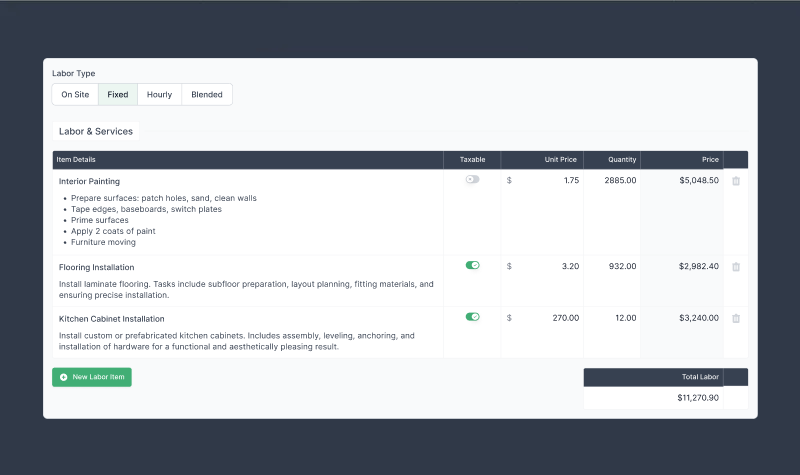
Customize your proposals the way you want it. For example, our clients can hide or display line item price, combine labor and materials or separate them out on pricing, and many other things!

Fully Customizable Templates
Manage how your customer sees the proposal. Customize the preview page to the smallest detail. Include a custom message, display agreement, show photos, manage line items preview, and more.

Online & In-person Approvals
Send out proposals to clients and get the project approval remotely.
Or, take a signed in-person approval for the full compliance and legal coverage.

Estimate Photos & Attachments
Upload photos to your proposals. Send these photos to clients as part of your proposal.

Internal Documents
Add PDF attachments to your proposal, including spec sheets, catalogs, promos, and other materials to help convert your proposal into a sale. Use internal attachments for your team and external, customer-facing ones to ensure everyone has the information they need.

PriceBook
Create Proposal even faster using the Items for the Pricebook. Add and manage your Items, their prices and margins in one spot and use them for building proposals in the matter of minutes.

Discounts
Add discounts to your proposals, whether as a fixed amount or a percentage of the total. Reward loyal customers, run special promotions, or adjust pricing easily.

Send Contracts with Estimates
Send contracts with estimates for customers to review and sign, ensuring they agree to your terms upfront for improved compliance and clarity.

Bulleted Line Item Formatting
Present your proposals with clear, organized bullet points under each line item. This makes complex scopes of work easy for clients to read and understand, helping them see exactly what’s included - and increasing the likelihood of approval.

Work Orders
All your job information in plain sight.
Real-time Overview
See in real time as jobs progress. Check in to see photos, notes, signatures, timesheets, all in real-time.

Signed Documents
Collect signatures from the client on service agreements, change orders, invoices and get an extra proof of verification and client satisfaction.

Photos &Â Videos: Before, Progress and After
Tracking work progress is a must. See and manage all the photos and videos captured from your team on the field and stay in the loop of progress and make sure everything is running smoothly without a need to go on the site.

Change Order Requests
Manage change orders within our work orders. This makes sure that you can collect the full cost needed for your jobs.

Proposal History
View the complete history of the work order, including the entire job track record from the initial proposal to all change orders and updates made over time.

Close Work Order
Make sure to close the work order once it's really done. Ensure you’ve invoiced the full approved amount, attached all the timesheets and expenses, collected all the approvals so your books and metrics are in line.

AI Receipt Capture
Automatically scans receipts to prefill Material Cost and Receipt Date, saving you time on manual entry.

Work Order Checklists
Checklists help standardize workflows, streamline inspections, improve accountability & reduce errors, and keep back office and field teams aligned. Build detailed checklists with multiple-choice questions, yes and no answer questions, ratings, and inputs to better manage your quality standards.

Recurring Work Order & Invoices
Discuss and finalize a payment schedule with your customer - weekly, monthly, quarterly, or custom tailor made - and let the system handle the rest.

Invoices
Built for easy management, maximum compliance and smooth payment collection.
Invoice Generator
Quickly generate an invoice with all proposal line items, automatically attaching approved timesheets and material expenses. Simply enter the amount you want to charge your customer.

Fully Customizable Templates
Customize your invoices to align with your company's branding and preferences. Decide what your clients can see. Need to include photos of receipts or timesheets for that one specific customer? We've got you covered.

Invoice Photos
Attach before and after photos of the job well done and send them with the invoice to your customers as a showcase.

Partial Payments
Easily enable or disable partial payments on any invoice, allowing clients to enter their payment amounts and the back office to charge directly.

Passing Service Fees to Customers
Offset payment processing costs by passing service fees directly to customers. This option allows fees to be automatically added to card payments while providing customers with alternative payment options like ACH, cash, check, or wire.

Offline Payments
Keep track of all your payments that happen outside of our system, including any cash or check transactions.

Integrated Payments
Charge your customers' payment methods on file directly from the back office. MotionOps offers the lowest payment processing rates in the industry.

Send Payment Links
Send an invoice that lets your customer securely add their payment method and complete the transaction with ease.

Integrations
Built for easy management, maximum compliance and smooth payment collection.
Connect with 7000+ apps
Zapier empowers everyone in your business to securely automate their work in minutes, not months - no coding required. Sync and automate lead tracking, client communication, and more.

QuickBooks Online
Connect your QuickBooks Online account to import clients, and let all your MotionOps customers, invoices & payments automatically synced. Note: If you're using MotionOps Online Payments we also perform automatic reconciliation for your payment deposits.

Management & Insights
Customize MotionOps to work the way YOU need it, and keep a pulse on all the key business metrics.
Workflow Customization
Configure your business work flows and setup rules under you operate.
Customize Your Workflows
Define your margins, markup, and tags effortlessly. Customize your workflows by personalizing filters, business cards, proposals, and invoices.

Service Areas
Create multiple service areas. Assign your employees to service areas based on what areas they should cover and manage schedules accordingly.

Team Skills & Grades
Keep track of certain skills your employees have. Create a customized grading system for them. Use it to find the perfect match employee when scheduling.

Service Agreement Templates
All contract templates in one place. Manage your service agreements, agreement versioning and choose the templates that will be used for specific work order types (fixed, hourly and on site).

Customer Notifications
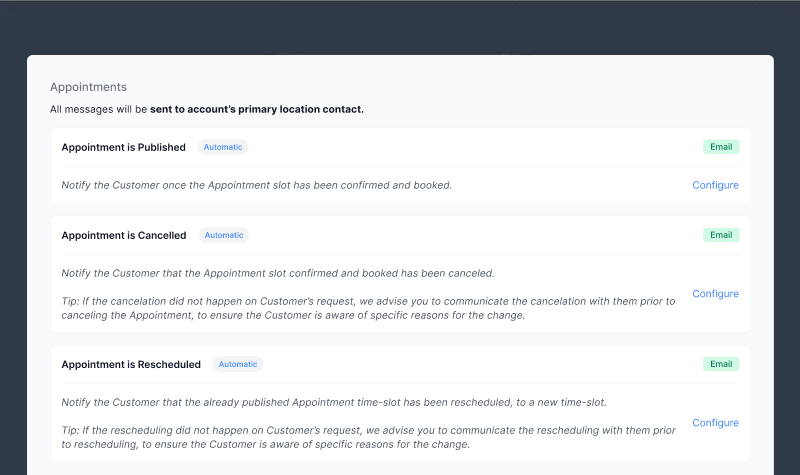
Configure automatic customer notifications and reminders related to work appointments, Invoicing and job progress. Increase show rates, conversion and client satisfaction.

Custom Roles & Permissions
Create roles and permissions for different employees based on what they should and shouldn't have access to.

Dashboard Analytics
Real-time business performance metrics, at a glance.
Revenue Dashboard
Compare your conversion rate of booked vs collected revenue in total. Check your average job size in selected timeframe.
Billing Metrics
See stats of how many outstanding invoices you have. Use data to reduce your accounts receivable.

Timesheet Report
Maintain control over your timesheet quality assurance process. Ensure all timesheet data is accurate and verified before passing it on to payroll.

Lead Source Breakdown
See analytics on different lead sources.Use this data to spend marketing dollars wisely.

Booked vs Collected Revenues
See analytics on booked vs collected revenues. See where you can increase your production efficiency.

Leaderboards
Leaderboards for Account Managers, Project Managers, and Technicians. Use leaderboards to help your people compete.

Payroll-Ready Reports
Select a team member, date range, and other parameters to generate a complete report of the time logs, ready for printing, PDF download, or in a CSV format.

Tax Report
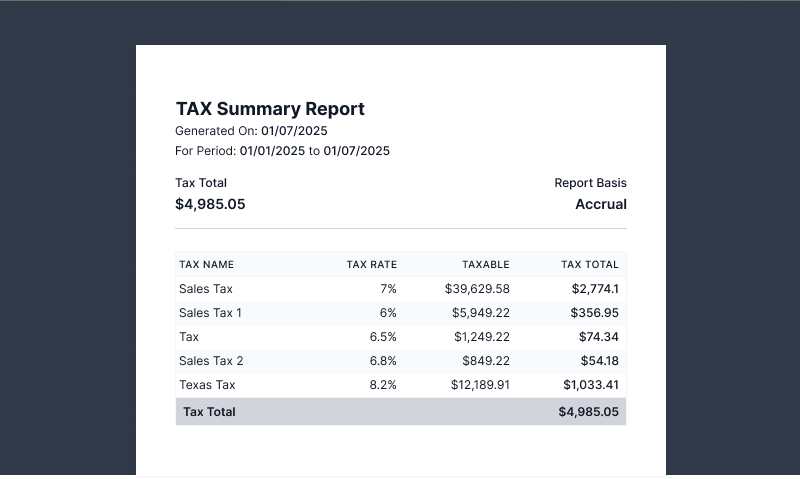
Generate detailed tax summaries for any period with a clear breakdown by tax type, rate, and total amount. Simplify compliance, speed up reporting, and ensure you have accurate records ready for filing.

Employee Management
Core HR functionalities built-in.
Documents & Licences
Keep track of your employees documents, IDs, background checks, certificates, licenses, working agreements and more. Well organized and easily accessible.

Time Off Tracking
Employees can request days off. Days off will be reflected on employee's schedules.

Team Skills & Grades
Maintain a record of individuals’ proficiency in various skills. Plan their schedules and assign jobs based on their strengths. Offer training according to their ratings.

Private Team Member Notes
Document any irregularities and observation about your staff, make your HR job easier. Only users with the right permissions can see this.

Permission Customization
When adding new team members, you must select a role for them. At any time, you can change the role of your team members in their profiles.

Timesheet Map View
Log break time from the web and mobile apps, see day-to-day timesheet breakdown, and take advantage of multiple views for your payroll periods, including Day, Week, 2-Week, Twice per month, and Month views. Export CSV/XLSX or generate PDF reports.

Overtime Rules
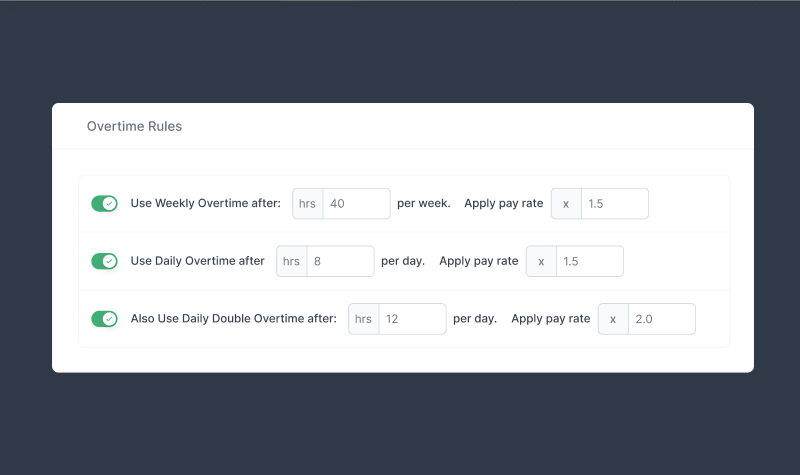
Set custom overtime policies that match your business and local labor laws. Define daily, weekly, or double-overtime thresholds with automatic pay rate adjustments - so your payroll stays accurate and compliant without extra manual work.