If you’ve been in contracting long enough, you know this: you don’t get paid for swinging a hammer - you get paid for sending an invoice.
And if your invoice is sloppy, unclear, or missing details, you’re giving the client an excuse to delay payment.
A good contractor invoice template is just as important as a good estimate. It’s the final handshake at the end of a job - and it needs to be clear, professional, and airtight.
What Is a Contractor Invoice Template?
A contractor invoice template is a pre-designed document - often in Google Sheets, Excel, Word, or a billing app - that standardizes the way you bill clients for completed work.
It ensures your invoices:
- Look professional
- Include all necessary details
- Reduce payment delays
- Keep your records organized for accounting and taxes
4 Key Elements of a Winning Contractor Invoice Template
1. Professional Header
Include:
- Your business name, logo, and contact details
- Client name and address
- Invoice number and date
This builds trust and gives clients exactly what they need for payment processing.
2. Clear Job Reference
Always list:
- Project name or job site address
- A brief description of the work completed
- Date range of the work (for progress billing)
This connects your invoice to your contract and estimate - no confusion, no excuses.
3. Payment Terms
This is where you protect your cash flow:
- Due date (e.g., “Net 15” or “Due on Receipt”)
- Accepted payment methods (check, bank transfer, credit card)
- A late fee, only if your contract includes it and your state allows it (check with an attorney or your licensing board)
Never assume the client knows your terms - state them in writing.
4. Legal and Warranty Notes
Include:
- Confirmation that the work is complete per contract
- Warranty details (if applicable)
- Any lien rights notices required in your state
Lien rights, the notices they require and their deadlines vary by state, and some deadlines start before the job ends. Check your state’s rules with an attorney or your licensing board before you count on a lien.
Bottom line:
Your invoice template isn’t just a bill - it’s your last impression on the client, your proof of professionalism, and your ticket to getting paid on time.
A worked example: the final invoice for a small job
A one-person painting job, from a signed estimate of $1,771 with a $177 deposit and one approved change order. Example numbers.
Invoice #1042-F · Date: November 11 · Due: November 26 (15 days)
Job: Interior repaint, living room and hallway, 12 Oak St. Work dates: November 10–11. Estimate #1042, signed October 28.Paint, primer and patching materials · $543
Labor, 2 days · $1,143
Floor protection and cleanup supplies · $85
Change order #1, signed November 10: patch and paint hall closet · $160
Subtotal: $1,931
Less deposit received October 30 · −$177
Balance due: $1,754Pay by: bank transfer, card (link), or check to [Business name].
Work completed as described in Estimate #1042 and Change order #1. Workmanship warranty: [your terms, the same as in the estimate].
What makes it easy to pay:
- It matches the estimate line for line, so the customer has nothing to question.
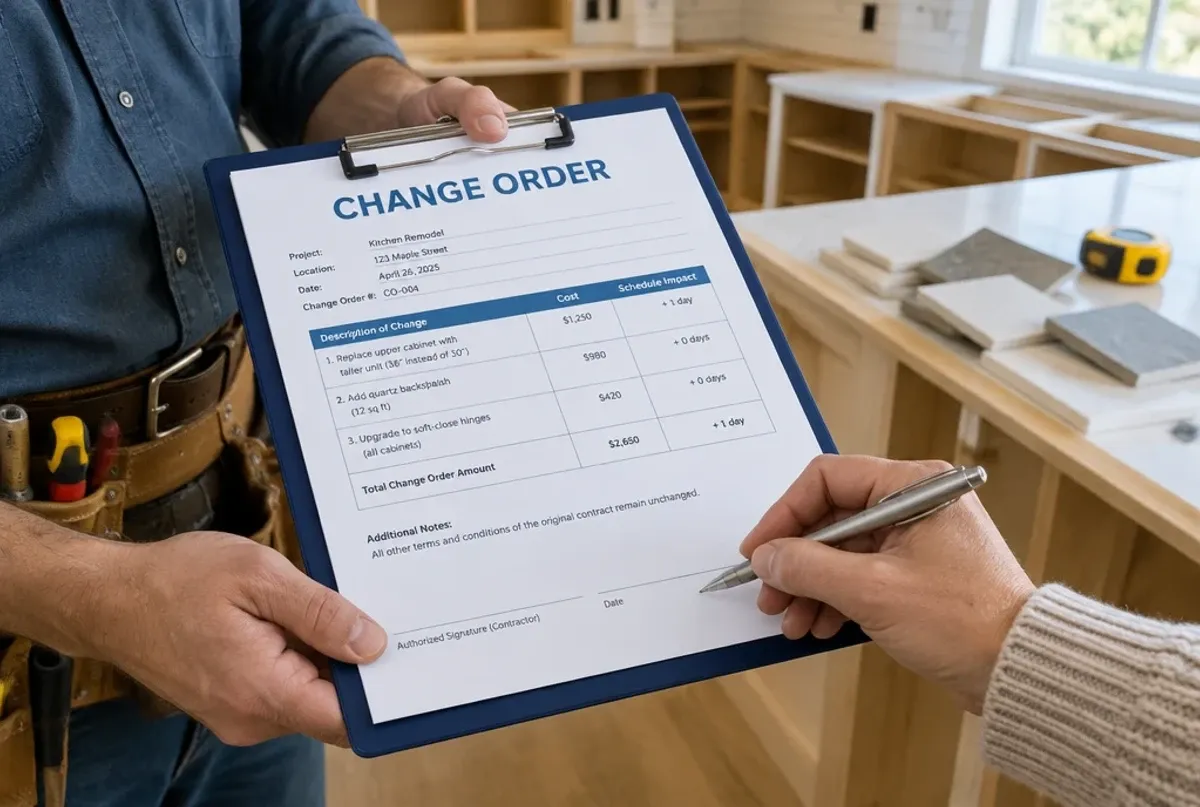
- The change order is its own line, with the date it was signed. See what a change order is.
- The deposit is subtracted and dated. If your state limits deposits, check it before you set one: contractor deposit laws by state.
- One due date and every way to pay, with a card link if you take cards.
When to send it
- Small jobs: the day you finish, ideally at the final walkthrough, while the customer has just seen the work.
- Multi-week jobs: on the schedule your contract sets, for example at each milestone. Progress billing covers how.
- Never wait for the end of the month. Every day an invoice sits in your truck is a day added to when you’re paid.
Receipts: bill every material you bought
Materials you bought for a job and forgot to bill are money you paid out of your own pocket.
- Photograph each receipt the day you buy, and write the job name on it or in the photo’s name.
- Attach it to the job in your app or job folder.
- Before you invoice, compare the job’s receipts to the invoice’s materials line, including returns.
How to keep track of receipts and expenses goes further.
Track every payment until it’s in the bank
Keep one list of every open invoice and look at it every week:
| Invoice | Customer | Amount | Sent | Due | Days late | Next step |
|---|---|---|---|---|---|---|
| 1042-F | Garcia | $1,754 | Nov 11 | Nov 26 | 0 | Reminder on Nov 27 if unpaid |
A reminder schedule you can use. Adjust it to your contract and your state’s rules:
| When | What |
|---|---|
| Due date + 1 day | Friendly text: “Hi [Name], a reminder that invoice 1042-F for $1,754 was due yesterday. Here’s the payment link: [link]. Thanks!” |
| Due date + 7 days | A call. Ask if anything about the job or the invoice is holding up payment. |
| Due date + 14 days | A written notice by email, with the invoice, the amount, the due date and the late fee if your contract has one. |
| Before any lien deadline | Talk to an attorney about your state’s lien notices and deadlines. Don’t wait until the job is months behind you. |
If a customer raises a problem with the work, fix or answer it first, in writing. A clear reply often ends the delay. Simple automations to avoid late invoices can send the reminders for you.
Your next action
This week:
- Set up your invoice with the four elements above and your payment methods.
- Start your open-invoice list and put a weekly review in your calendar.
- Save the reminder text on your phone.
- Check your receipts against the materials on your last three invoices.
Why You Need a Reusable Invoice Template
A good contractor invoice template will:
- Get you paid faster by removing back-and-forth with clients
- Reduce admin time with reusable formatting
- Protect your business with clear terms
- Make tax season easier with organized records
Pro Tip:
Many commercial clients require specific info - like project codes or PO numbers - before they can cut a check. Include a field for this in your template so your invoice doesn’t get kicked back.
Need a Free Contractor Invoice Template?
We’ve built a ready-to-use Google Sheets invoice template for contractors that includes:
- Automatic totals
- Fields for labor, materials, and subs
- Built-in late fee calculation
- Room for terms, warranty info, and project codes
MotionOps helps you win jobs with customizable invoices, photos and videos, digital signatures, and more features that make your invoices stand out, and keep you from never missing a payment.