Manejar un negocio de contratación implica mucho más que poner trabajos en un calendario.
Tienes que convertir peticiones del cliente en presupuestos, conseguir contratos firmados, asignar cuadrillas, medir mano de obra y materiales, documentar cambios, mandar facturas exactas y cobrar. Si esas actividades viven en hojas de cálculo, apps y cadenas de mensajes separadas, hasta un buen equipo puede perder el control de los detalles.
Ese es el problema que el software de operaciones para contratistas viene a resolver.
Qué es el software de operaciones para contratistas
Es una plataforma que conecta todo el ciclo de vida de un trabajo, desde la primera petición del cliente hasta el pago final.
En palabras simples, **le ayuda al contratista a manejar:
**
-
Clientes y prospectos
-
Presupuestos y propuestas
-
Contratos y aprobaciones
-
Programación y asignación de cuadrillas
-
Órdenes de trabajo y actualizaciones de campo
-
Hojas de tiempo y gastos
-
Órdenes de cambio
-
Costo por trabajo
-
Facturas y pagos
La meta no es simplemente poner esas tareas en línea. Es conectarlas.
Una propuesta aprobada debería volverse la base del trabajo. La cuadrilla debería recibir el alcance y el calendario vigentes. La mano de obra, los recibos, las fotos y las aprobaciones del cliente deberían adjuntarse a ese mismo trabajo. Cuando el trabajo esté completo, la factura debería reflejar todo lo que se aprobó y se ejecutó.
En vez de reconstruir la información en cada etapa, el negocio trabaja desde un expediente conectado.
¿Es lo mismo que software de gestión para contratistas?
Los términos están muy relacionados.
“Software de operaciones para contratistas” describe la categoría en términos de control operativo. “Software de gestión para contratistas” es una de las expresiones más establecidas que usa la gente al buscar este tipo de plataforma.
Según el negocio, también se busca como:
-
Software para negocios de servicio
-
Software de operaciones de campo
-
Software de gestión de servicios de campo
-
Software de programación para contratistas
-
Software de manejo de cuadrillas
-
Software de manejo de trabajos
Esas búsquedas suelen empezar con un problema visible, como la programación o la facturación. Pero cuando hay varios problemas a la vez, el contratista normalmente necesita más que una herramienta suelta. El negocio necesita un flujo de trabajo conectado.
¿Quién necesita software de operaciones para contratistas?
Un contratista que trabaja solo, con unos cuantos trabajos sencillos, puede estar perfectamente cómodo con un calendario, software contable básico y una plantilla simple de presupuesto.
La necesidad de un sistema más amplio aparece normalmente cuando la coordinación empieza a limitar el crecimiento.
Puede que estés listo si:
-
Manejas varios empleados o cuadrillas.
-
Los trabajos duran varios días o semanas.
-
La información importante está regada entre mensajes, correo, hojas de cálculo y teléfonos personales.
-
La oficina persigue con frecuencia al equipo de campo por hojas de tiempo, recibos o fotos.
-
Las órdenes de cambio se aprueban de palabra o se facturan de forma inconsistente.
-
No puedes saber si un trabajo es rentable hasta que termina.
-
Las facturas se retrasan porque alguien tiene que reconstruir qué pasó.
-
El dueño se volvió la única persona que entiende todo el proceso.
El número de empleados por sí solo no define el momento de comprar. Una empresa pequeña de remodelación con proyectos complejos puede necesitar un sistema de gestión antes que una empresa más grande que hace llamadas de servicio simples y repetibles.
La pregunta real es si la información puede moverse por el negocio con exactitud sin que una persona la sostenga toda manualmente.
Cómo se ve el flujo de trabajo
La forma más fácil de entender este software es seguir un trabajo desde la petición hasta el pago.
1. Un cliente pide trabajo
Sus datos de contacto, la ubicación del servicio, el trabajo solicitado y las notas entran a un expediente compartido.
Esa información no debería tener que teclearse otra vez cuando el equipo agende una visita o cree una propuesta.
2. El contratista crea una propuesta
La propuesta define alcance, precio y términos. Una vez que el cliente la acepta, esa información pasa al expediente del trabajo.
El equipo de campo ahora puede ver qué se vendió, en vez de depender de un resumen en un mensaje.
3. Se programa el trabajo
Los gerentes asignan a las personas correctas según disponibilidad, ubicación, habilidades y requisitos del proyecto.
Si el calendario cambia, la oficina y la cuadrilla deberían ver la misma información actualizada.
4. La cuadrilla documenta el trabajo
Los empleados registran horas, gastos, recibos, notas, listas de verificación y fotos desde el campo. Esos registros se adjuntan directamente al trabajo en vez de quedar en bandejas de entrada y carretes de fotos sueltos.
MotionOps conecta estas actividades a través de sus funciones de campo y de oficina, que incluyen programación, órdenes de trabajo, registro de tiempo, gastos de campo, documentación y facturación.
5. Se aprueban los cambios
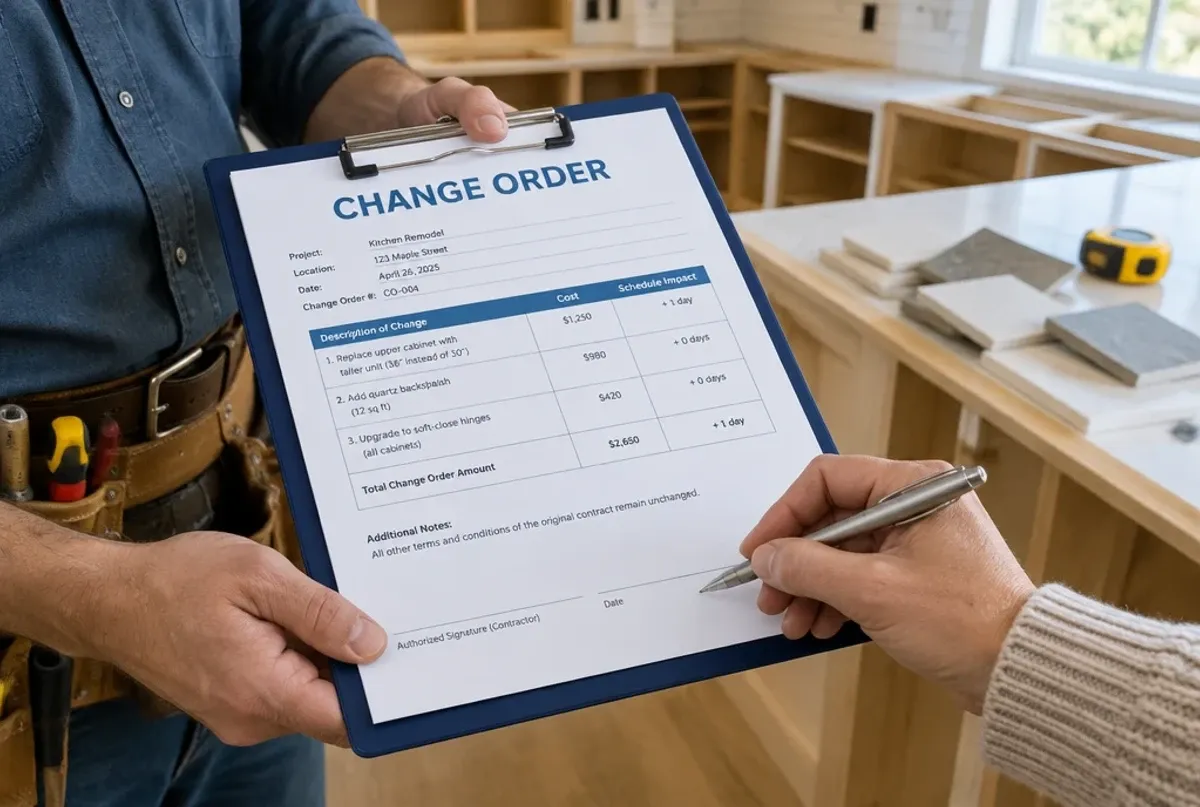
Si el cliente pide trabajo adicional, el equipo crea una orden de cambio que documenta el alcance revisado, el precio y el impacto en el calendario.
La aprobación queda adjunta al trabajo original, lo que ayuda a prevenir cargos olvidados y disputas de pago. Para más detalle, lee Cómo manejar órdenes de cambio sin perder al cliente.
6. Se miden los costos
La mano de obra y el material reales se comparan con el presupuesto mientras el trabajo sigue ocurriendo.
Eso permite a los gerentes identificar problemas de margen temprano en vez de descubrirlos cuando el trabajo ya acabó. Conoce más en Costo por trabajo para contratistas: ¿qué software lo hace bien?.
7. Se factura y se cobra
Antes de mandar la factura final, el negocio puede confirmar que las horas, los gastos, las aprobaciones y los documentos requeridos estén completos.
Como la información ya está conectada, facturar se vuelve el final del flujo y no una ronda aparte de investigación.
¿En qué se diferencia del software contable?
El software contable registra la historia financiera del negocio. Maneja contabilidad, estados financieros, conciliación, registros fiscales y el libro mayor.
El software de operaciones controla el trabajo que genera esas transacciones.
La contabilidad puede mostrar que a un cliente se le facturaron 15 000 dólares. La plataforma de operaciones debería explicar cómo se produjo ese monto:
-
Qué aprobó originalmente el cliente
-
Qué trabajo se completó
-
Cuánta mano de obra se usó
-
Qué costos de material se incurrieron
-
Si cambió el alcance
-
Qué documentos firmados respaldan la factura
Los dos sistemas deberían trabajar juntos, pero tienen trabajos distintos.
¿En qué se diferencia de un CRM?
Un CRM se enfoca principalmente en prospectos, relación con el cliente, actividad de ventas y seguimientos.
Ayuda a ganar el trabajo. El software de operaciones ayuda a entregarlo.
Algunas plataformas para contratistas incluyen funciones de CRM, lo que permite que el mismo expediente del cliente continúe desde la primera consulta hasta la programación, la ejecución en campo, la facturación y el historial de trabajos futuros.
¿En qué se diferencia del software ligero de servicios de campo?
El software de gestión de servicios de campo es la categoría establecida más cercana al software de operaciones para contratistas.
Muchas plataformas ligeras están hechas para llamadas de servicio cortas: despachar un técnico, completar la tarea, facturar y pasar a la siguiente cita.
Eso funciona bien para muchas reparaciones, visitas de mantenimiento, citas de limpieza, tratamientos de control de plagas y otros trabajos predecibles de un día.
Un contratista que trabaja por proyecto puede necesitar más profundidad operativa, como:
-
Programación de varios días
-
Contratos y anticipos
-
Facturación por avance
-
Órdenes de cambio formales
-
Documentación detallada del trabajo
-
Costo de mano de obra y material en tiempo real
-
Varias visitas de cuadrilla
-
Requisitos de cierre de trabajo
Ningún modelo es automáticamente mejor. El software simplemente tiene que coincidir con la forma en que tu empresa hace el trabajo.
Si estás comparando opciones, este panorama del software de gestión de servicios de campo para equipos de contratistas explica las diferencias entre las plataformas de servicio rápido y las de proyecto.
¿Qué deberías buscar?
Al evaluar software de operaciones para contratistas, enfócate en el flujo de trabajo más que en el número de funciones.
Pregúntate si la plataforma puede:
-
Llevar la información de la propuesta al trabajo
-
Soportar la duración y la complejidad reales de tus proyectos
-
Dar a oficina y campo acceso a información vigente
-
Capturar mano de obra, gastos, fotos y aprobaciones desde el campo
-
Conectar las órdenes de cambio con los costos y las facturas
-
Mostrar el desempeño estimado contra el real
-
Evitar que los trabajos se cierren con documentación faltante o trabajo sin facturar
-
Integrarse con tu sistema contable
-
Ser lo bastante fácil para que el equipo de campo la use de forma consistente
La mejor prueba es tomar un trabajo real difícil y pedirle al proveedor que lo recorra dentro de la plataforma, de la petición inicial al pago.
Eso te va a decir más que una lista larga de funciones.
¿Cuándo toca hacer el cambio?
Necesitas software de operaciones cuando las herramientas desconectadas empiezan a afectar la entrega o la rentabilidad de tu trabajo.
Si los calendarios se malinterpretan con frecuencia, la información de campo llega tarde, las órdenes de cambio no se facturan o las facturas dependen de que alguien reconstruya la historia del trabajo, tu arreglo actual está creando riesgo operativo.
La plataforma correcta le da a cada trabajo un expediente conectado y le da al negocio más control sobre lo que pasa entre la venta y el pago.
Ese es el valor real del software de operaciones para contratistas: menos entregas rotas, mejor visibilidad y un negocio que puede crecer sin convertir al dueño en el sistema operativo.
Conoce la plataforma de operaciones para contratistas de MotionOps o compara los planes disponibles para ver cómo se ve un flujo conectado de la petición al pago.