
Online Payments Software for Field Service Companies
Accept card or bank payments the moment a job’s done - all inside MotionOps.

 Lowest Industry Rates
- Get Paid Online
- Bank Deposits & Reporting
- QuickBooks Online Real-Time Sync


Get Paid 4x Faster with MotionOps
MotionOps Payments allow you to remove any delays and obstacles associated with physical checks making sure you control your cashflow.
 Customers can pay online with ease
- Collect signatures on invoices
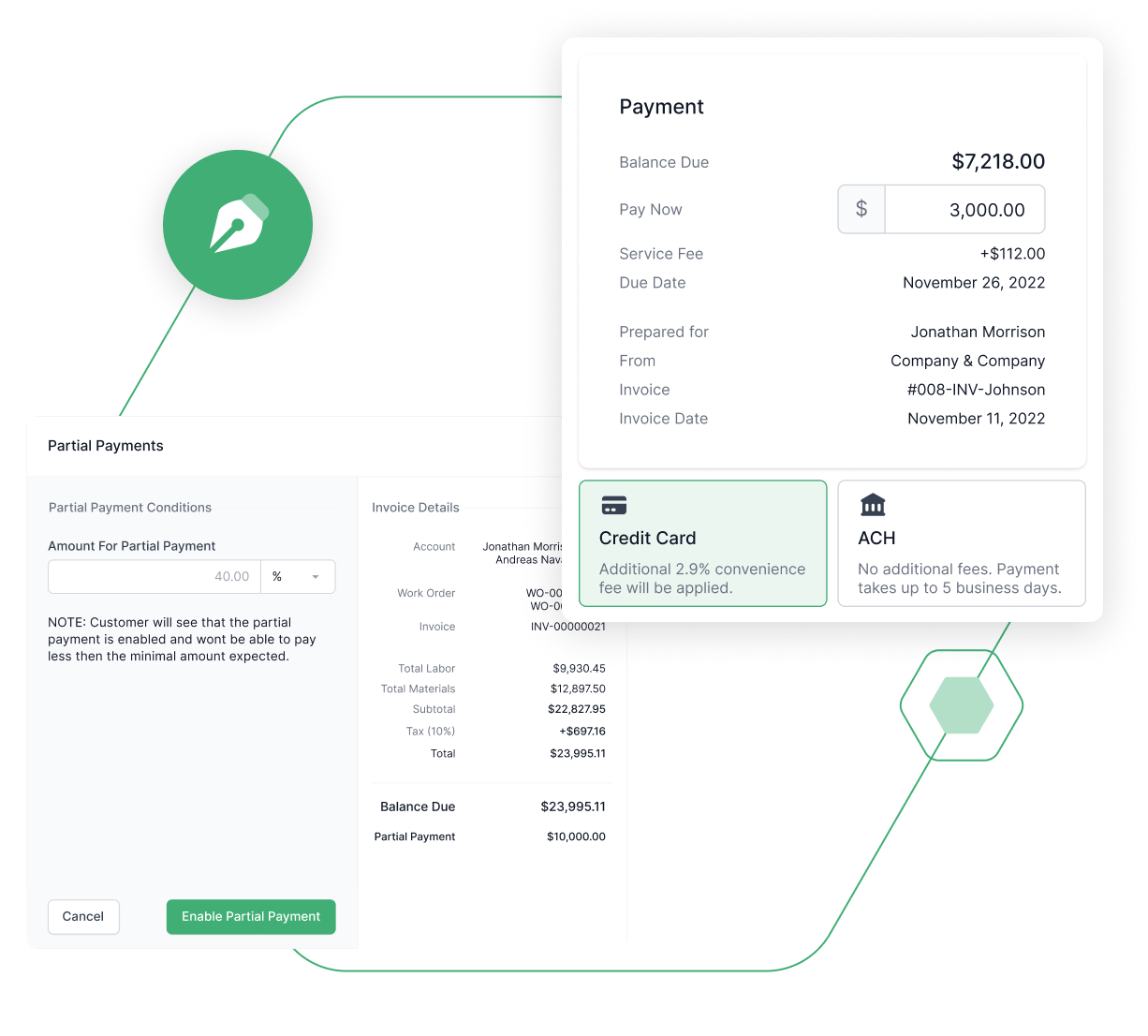
- Use partial payments or progress invoicing


Charge Customers with Ease
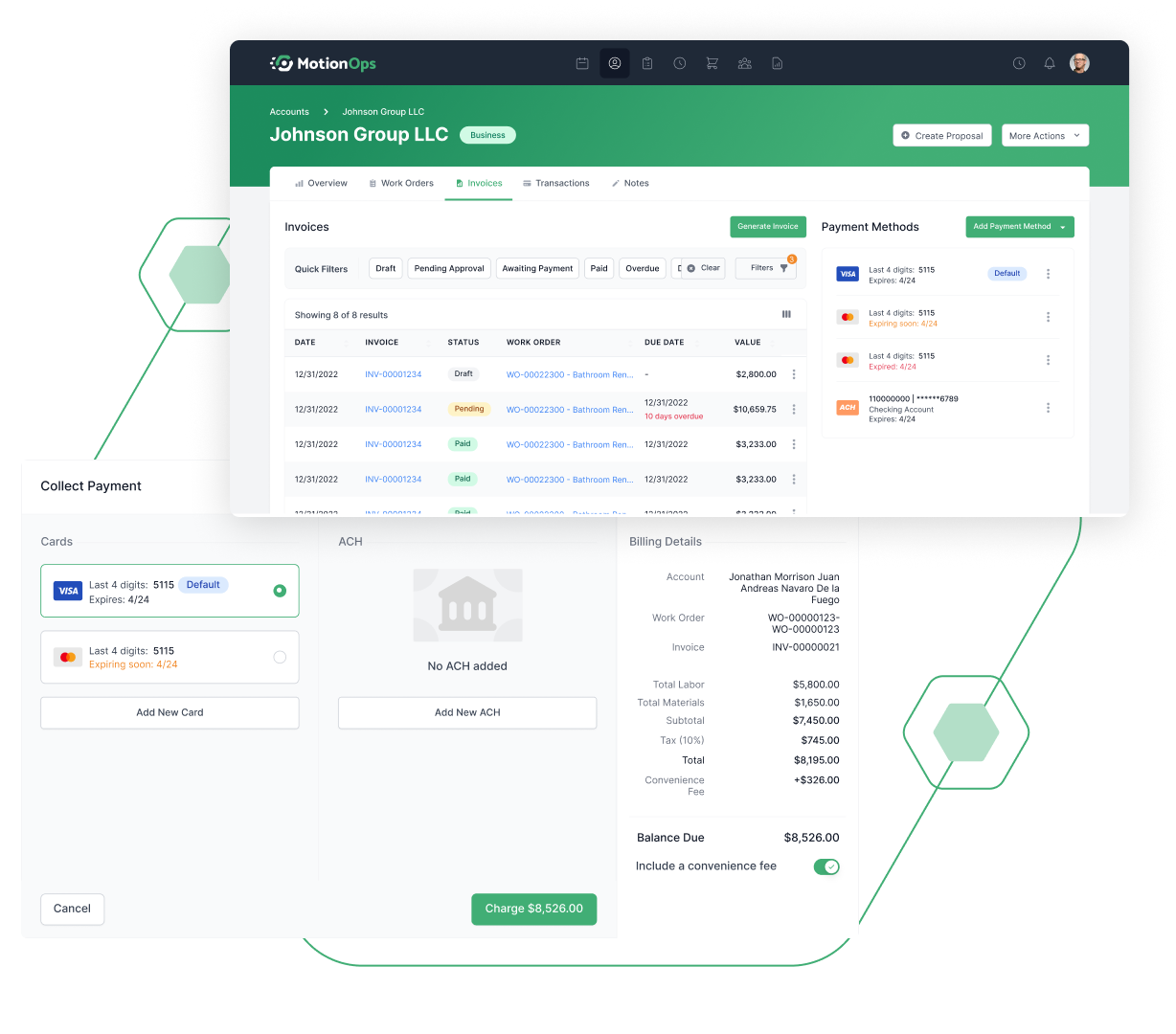
MotionOps allows your back office to store payment methods on file and charge customers when the job portion is completed.
- Send invoice payment links to customers
- Charge customers using saved Credit Cards or ACH
- Pass service fees to customers
- Collect partial payments to keep the cash flow going


Bank Deposit Reports & QuickBooks Online Sync
With MotionOps reporting and sync is seamless. Know where your money came from and make sure the bookkeepers see it too.
- Get a detailed Bank Deposit overview
- See money in the bank every day
- Automated QuickBooks Online sync

“Before MotionOps, we used to wait days to get paid. Now payments hit our account almost instantly after the job’s done. It completely changed our cash flow and gave us breathing room to take on more projects.”
Alex Moreno, Owner at GreenScape Services


We truly care
Product
.webp)

Heartfelt service

Smart price
.webp)
What's new?

.png)


FAQ
What is MotionOps Payment Processing?
MotionOps Payment Processing lets you accept credit, debit, and ACH payments directly inside your account. It’s built into your workflow, so customers can pay invoices instantly without leaving the platform.
Who can use Payment Processing with MotionOps?
Online payments are currently available to businesses based in the United States. In-person payments are planned and will be available soon.
What payment methods are accepted?
Credit and debit cards, ACH/bank transfers, Offline methods (cash, check, wire). You also have flexibility to allow customers to choose between methods.
How much does Payment Processing cost?
Card payments cost 2.9% + $0.30 per transaction (3.2% for Amex). ACH/bank transfer payments cost 1% for transactions under $20,000 and 0.5% for transactions of $20,000 or more. No setup or hidden fees - and you can choose to pass processing costs on to your customers.
Can I pass the service/processing fee to my customers?
Yes - if you’re signed up for Payment Processing, you can automatically add and pass the card processing fee onto the customer.
How does it connect to invoices and work orders?
Payments are linked to your invoices and work orders, so every transaction automatically updates your records. You can charge customers directly from the back office or let them pay through online invoices.
What about refunds and chargebacks?
Refunds can be issued directly from your MotionOps dashboard. Card refunds cost $1, ACH refunds cost $30, and chargebacks carry a $30 fee.
Does it integrate with QuickBooks Online?
Yes. Payment data automatically syncs with QuickBooks Online, helping you reconcile transactions and track fees without extra manual work.


