Ask most contractors which of their jobs was the most profitable last year and you’ll get an answer based on the contract price. The $48,000 one. The big kitchen.
Ask them what it cost to deliver and the answer gets vague - materials were somewhere around here, the crew was on it for about that long, and there were a couple of extra trips nobody wrote down.
That gap is where the money goes. Job costing is how you close it.
What is job costing?
Job costing is tracking all the costs of a single job - labor, materials, subs, and everything else - against what that job brought in, so you can see the actual profit it produced.
Not the profit for the month. Not the profit for the business. The profit on that job.
In construction job costing, this matters more than in almost any other business, because every job is different. A restaurant sells the same burger a thousand times and can average it out. You build one deck, then a bathroom, then a driveway coating, each priced separately, each with its own crew, its own weather, its own surprises. Averages hide everything.
The point of job costing isn’t accounting. It’s bidding. Every job you close out properly makes your next estimate more accurate.
Revenue per job tells you almost nothing
Here’s the trap. Two jobs: a $48,000 kitchen remodel, and a $12,000 deck.
The kitchen is the one you talk about. It’s the one on Instagram. But if it ran six weeks with two crew members, a change order you never billed, and a week of rework, and the deck ran nine days clean with one crew, the deck may well have put more money in your pocket per hour of your business’s capacity.
You only find that out if you cost both.
The four cost buckets
Every dollar a job costs you lands in one of four buckets. Track these and you’re doing job costing.
1. Direct labor. The hours your people spent on that specific job - not their salary for the month, the hours on that job. This is where accuracy lives or dies, because it’s the biggest cost on most home improvement work and the easiest to lose track of. If your crew fills out timesheets weekly from memory on Friday afternoon, your labor numbers are fiction.
2. Materials. Everything you bought for that job: lumber, fixtures, coating, fasteners, and the four trips to the supply house nobody logged. Receipts have to be attached to the job when they’re bought, not sorted into a shoebox in January. Waste counts - if you ordered 12% over and used all of it, that’s a real cost and your next estimate should know about it.
3. Subcontractors. Anything you paid another trade to do on that job. Straightforward - as long as the invoice gets coded to the right job.
4. Other direct costs. The bucket that quietly ruins margins: permits, dumpsters, equipment rental, fuel, disposal fees, port-a-john, parking, delivery charges, and the specialty tool you bought for one job and used once.
What doesn’t go in: your office rent, your truck payment, your software, your admin’s salary. Those are overhead, and they get covered by the gross profit your jobs produce - they don’t get assigned to any one job. Mixing overhead into job costs is the fastest way to make every job look unprofitable and learn nothing.
Labor burden: the number most contractors skip
If you’re costing labor at the hourly wage you pay, your job costs are wrong by about a third.
Labor burden is everything a labor hour costs you on top of the wage itself: payroll taxes, workers’ comp, unemployment, benefits, PTO, training, phone, uniforms.
Worked out for a crew member you pay $28.00 an hour:
- Payroll taxes at 7.65% - add $2.14
- Workers’ comp at 12% - add $3.36
- Unemployment at 2% - add $0.56
- Health and benefits - add $2.50
- PTO and holidays at 4% - add $1.12
Fully burdened rate: $37.68 an hour.
That’s a burden of about 35%. Your rates will differ - workers’ comp alone swings wildly between roofing and handyman work - but the shape is always the same: the real cost of an hour is nowhere near the wage.
Bid at $28 and you’re giving away $9.68 an hour. On a job with 240 crew hours, that’s $2,323 you never knew you spent.
Calculate your burden rate once, apply it to every job, and recalculate it once a year.
Estimated vs. actual: the only comparison that matters
Here’s a real-shaped example. A $28,000 deck build, estimated at three weeks.
What you estimated:
- Materials - $9,400
- Labor - 240 hours at the burdened rate, $9,043
- Subcontractors - $1,800
- Other direct costs - $900
- Total cost: $21,143. Gross profit: $6,857. Margin: 24.5%.
What it actually cost:
- Materials - $10,150 (over by $750)
- Labor - 296 hours, $11,153 (over by $2,110)
- Subcontractors - $1,800 (on estimate)
- Other direct costs - $1,240 (over by $340)
- Total cost: $24,343. Gross profit: $3,657. Margin: 13.1%.
The job made money. Nobody would have called it a problem. The customer was happy and the final invoice got paid.
But it delivered 13% when it was bid at 24.5%, and two thirds of the $3,200 miss is labor - 56 hours over estimate. That’s not a materials problem or a pricing problem. That’s a scheduling, sequencing, or estimating problem, and you can’t fix it if you never see it.
Run this comparison on twelve jobs and patterns show up fast. Decks always run long. Coating jobs always land on estimate. One crew is consistently 15% over on hours. Those are decisions you can act on.
Margin per crew hour: the number to start using
Gross profit dollars tell you how a job did. Gross profit per crew hour tells you how a job did relative to the thing you actually have a limited supply of: crew time.
The deck above: $3,657 divided by 296 crew hours is $12.35 per crew hour.
Now a $9,000 bathroom that ran 90 crew hours and produced $2,700 gross profit: $2,700 divided by 90 is $30.00 per crew hour.
The bathroom is a third the size and more than twice as productive per hour of capacity. If your calendar is full and you’re choosing what to bid, that’s the number that should decide it - not the contract value.
How to read a job cost report
A job cost report should answer four questions in under a minute:
- What did this job bring in?
- What did it cost, split by labor, materials, subs, and other?
- What’s the gross profit, in dollars and as a percentage?
- How does that compare to what I estimated?
If your report can’t answer the fourth one, it’s a bookkeeping record, not a job cost report.
Two things to watch:
Miscoded costs. This is the weak point in most construction cost tracking: a materials receipt logged to the wrong job makes two jobs wrong at once. It’s the most common reason job cost reports don’t get trusted - and once a contractor stops trusting the report, they stop reading it.
Jobs still in progress. A job that’s 60% complete but has had 90% of its materials delivered will look like a disaster mid-stream. Compare like with like.
Job costing on multi-week projects vs. service calls
Most field service software handles job costing the way a quick-service business needs it: one visit, one tech, one invoice, done.
Multi-week home improvement work breaks that model in four ways:
- Multiple crews across multiple days. Hours have to roll up to the job, not the day.
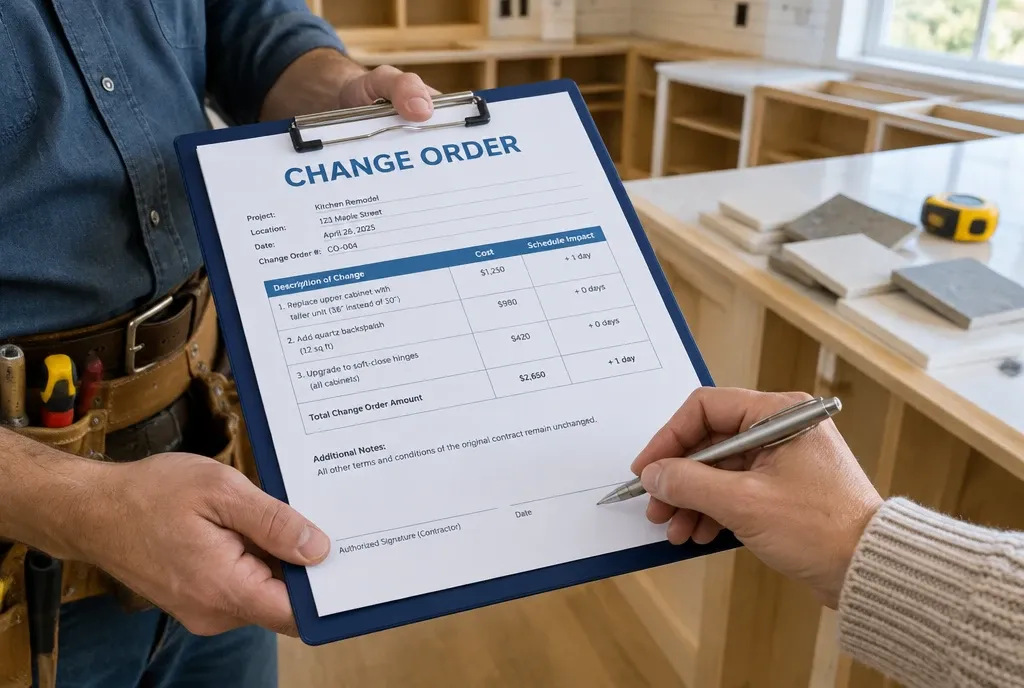
- Change orders mid-job. A signed change order adds revenue and cost. If the revenue lands on the job but the extra hours don’t, the job looks more profitable than it was.
- Staged material purchases. Materials arrive across weeks from several suppliers, and the receipts have to find the right job each time.
- Progress billing. Money comes in on draws, so revenue and costs don’t line up in time.
If your system can’t hold a job open for five weeks and keep accumulating costs against it, you’re not job costing - you’re reconciling.
Spreadsheet, accounting software, or job costing software?
A job costing spreadsheet works, and it’s how most contractors should start. One tab per job, four cost buckets, estimated vs. actual. It’s free and it teaches you what to look at. The failure mode is data entry - it only works if someone actually enters the hours and receipts, every week, forever.
Accounting software alone will get you there with classes or projects set up properly, but the costs arrive after the fact, from the bookkeeper’s side. You find out about the overrun in the month-end close, when the job’s already done. (If that’s your setup, we wrote a whole guide on tracking job costs in QuickBooks Online without losing your mind.)
Construction job costing software earns its cost when the data collection is automatic - when the hours come off the crew’s clock-in on the job, the receipt gets photographed at the supply house and coded to the job right there, and the change order signed on site adds itself to the job’s revenue.
That’s the actual difference. Not the reporting - every system reports. It’s whether the numbers get captured without anybody having to remember to capture them.
How to start on your next job
You don’t need a system overhaul. You need one job costed properly.
- Calculate your burden rate. One afternoon, once a year.
- Write down your estimated costs in the four buckets before you start. Save it.
- Capture hours daily against that job. Not weekly, not from memory.
- Photograph every receipt the day it’s bought and tag it to the job.
- At close-out, total it up and compare to your estimate.
- Write down the variance and why. One sentence.
Do that on ten jobs and you’ll know more about your business than most contractors learn in ten years.
The jobs you learn from are the ones you close out properly
Job costing isn’t an accounting exercise you do because someone told you to. It’s the feedback loop on your estimating. Without it, you’re bidding next spring’s work on a feeling about last spring’s work.
Cost one job properly this month. Then the next one.
Book a Demo - see job costing in MotionOps: crew hours, receipts, and change orders landing on the job automatically, with estimated vs. actual side by side.