SMS Opt-In Methods and Consent Evidence
MotionOps is an Independent Software Vendor (ISV) and submits A2P campaign registrations on behalf of multiple business brands that use the MotionOps platform. The opt-in flows documented below are built into the MotionOps platform and are identical for every brand; only the business's name is substituted in the consent language. Screenshots on this page are therefore shown in two forms: a platform template using the {Business_Brand_Name} placeholder, and a rendered example for a specific brand.
This page documents how businesses using the MotionOps platform collect express consent from their customers before sending any text messages. Consent is collected before any messages are sent and is not a condition of purchase or of receiving service. This page serves as publicly accessible evidence of the opt-in methods used in SMS campaigns registered on behalf of businesses using MotionOps.
Every opt-in method below presents the customer with the full consent disclosure - message purpose, "message frequency varies," "message and data rates may apply," HELP/STOP instructions, and links to the
SMS Program Privacy Policy and
SMS Program Terms & Conditions - and every consent event is recorded with a timestamp, the customer's name and mobile number, and the method of consent.
Consent Language
Wherever written consent is collected, the customer is shown the following disclosure next to an optional checkbox that is unchecked by default:
By checking this box, you agree to receive automated text messages from [Business Name] regarding your appointments, proposals, invoices, and payment reminders. Message frequency varies. Message and data rates may apply. Reply HELP for help or STOP to opt out at any time. Consent is not a condition of purchase. View our
SMS Privacy Policy and
SMS Terms & Conditions.
Method 1 - Proposal Approval
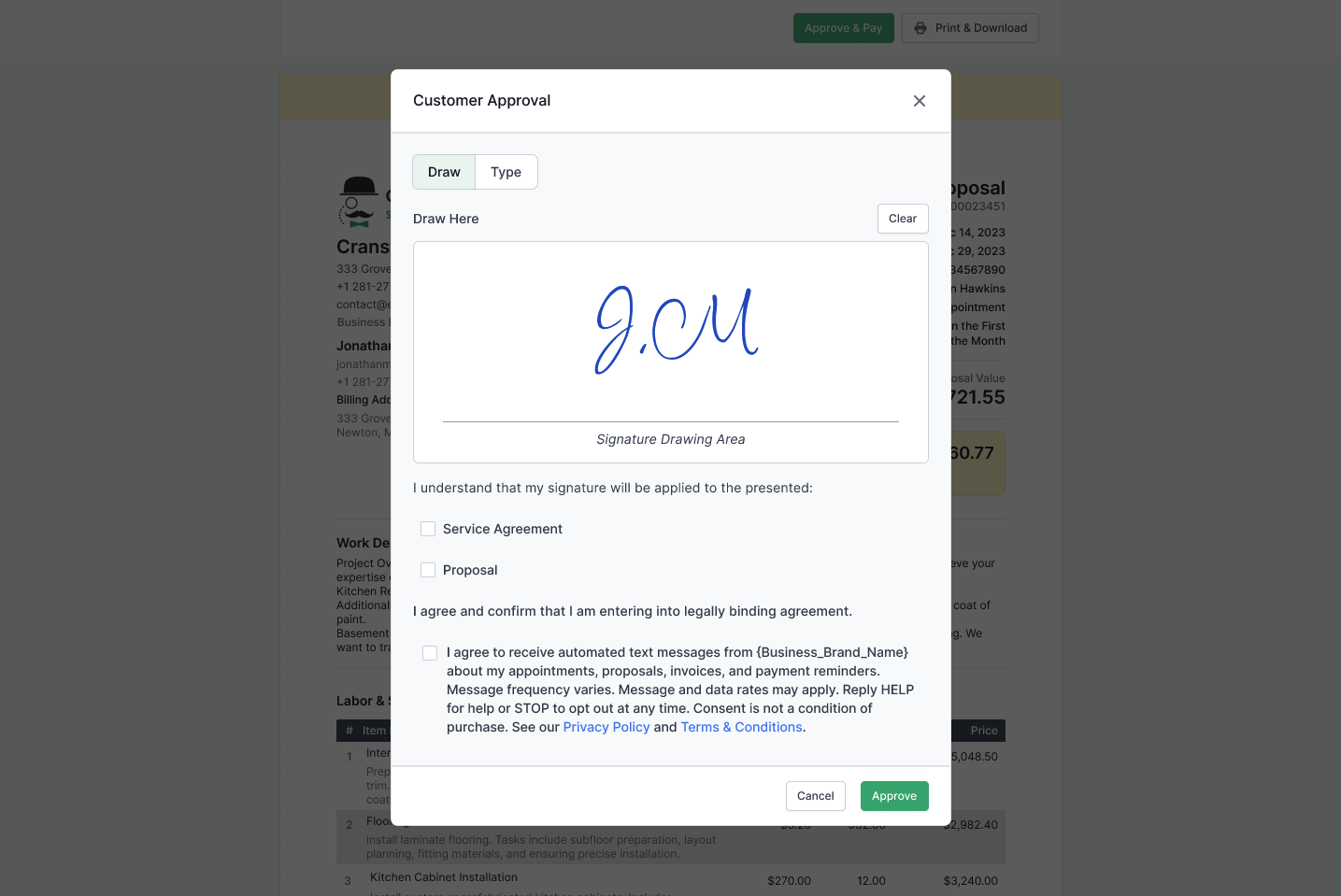
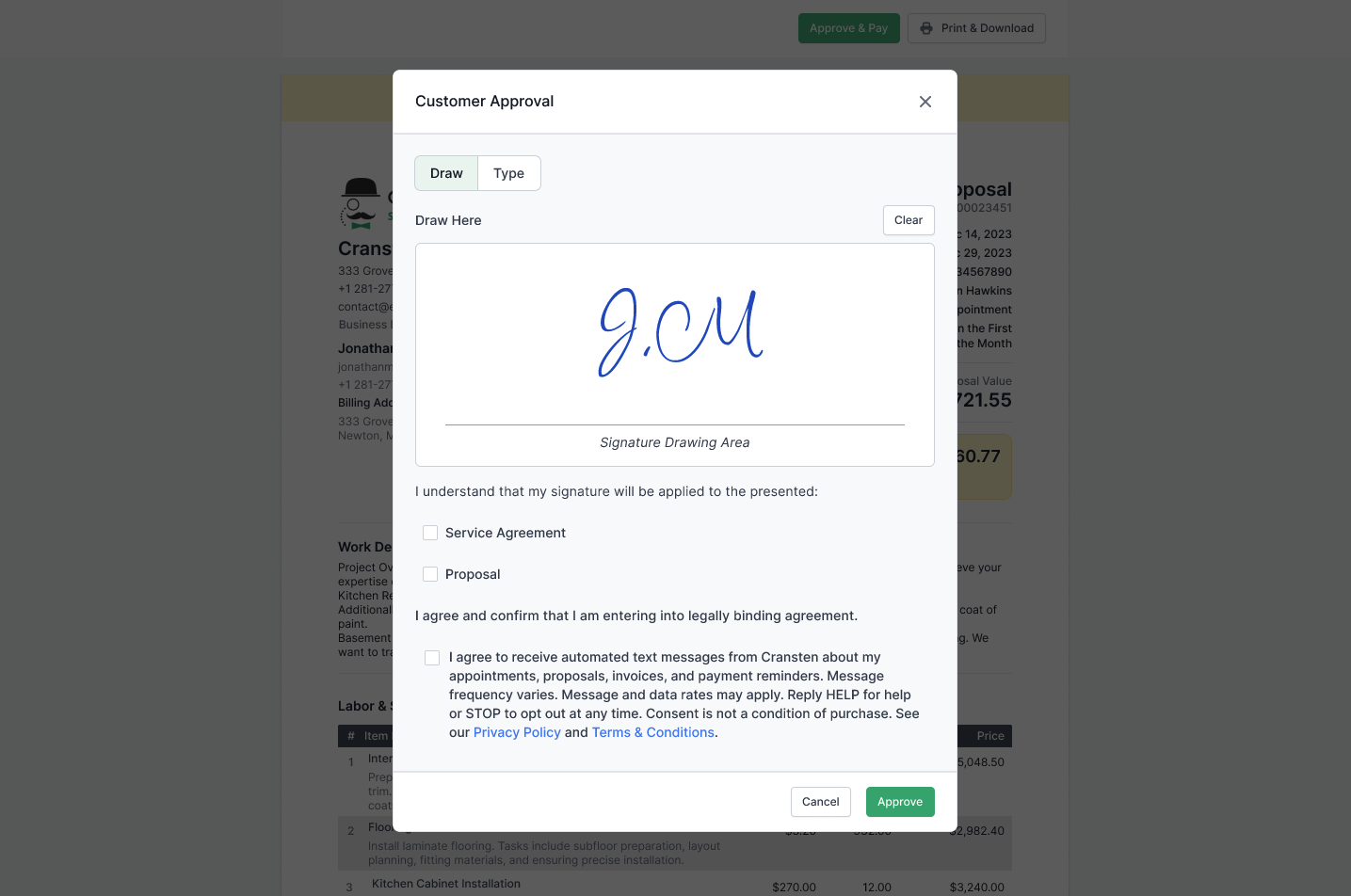
When a customer reviews and approves a proposal online, the approval dialog requires a signature and presents a separate, optional SMS consent checkbox with the full disclosure above. The checkbox is unchecked by default and is independent of the approval action - the customer can sign and approve the proposal without opting in to text messages.
Why no live URL is provided: proposal approval pages are generated per proposal and per customer, are accessible only via a unique link sent to that customer, and expire once the proposal is approved. There is no permanent, publicly accessible instance of this flow. In accordance with Twilio’s guidance for opt-ins that are not publicly visible, this page hosts screenshots of the live consent step instead.
Generic Example:
Specific Example:
Method 2 - Customer Portal
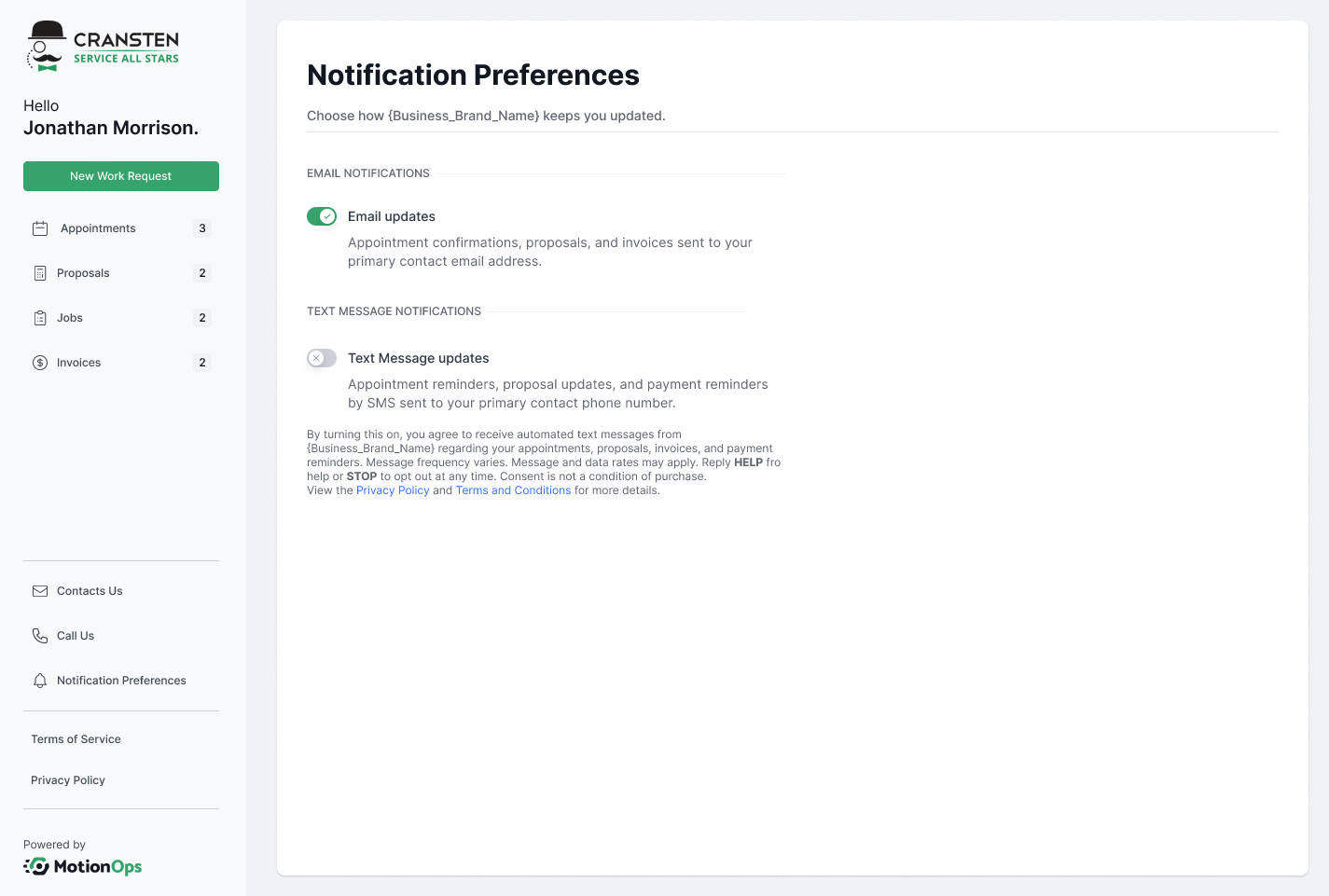
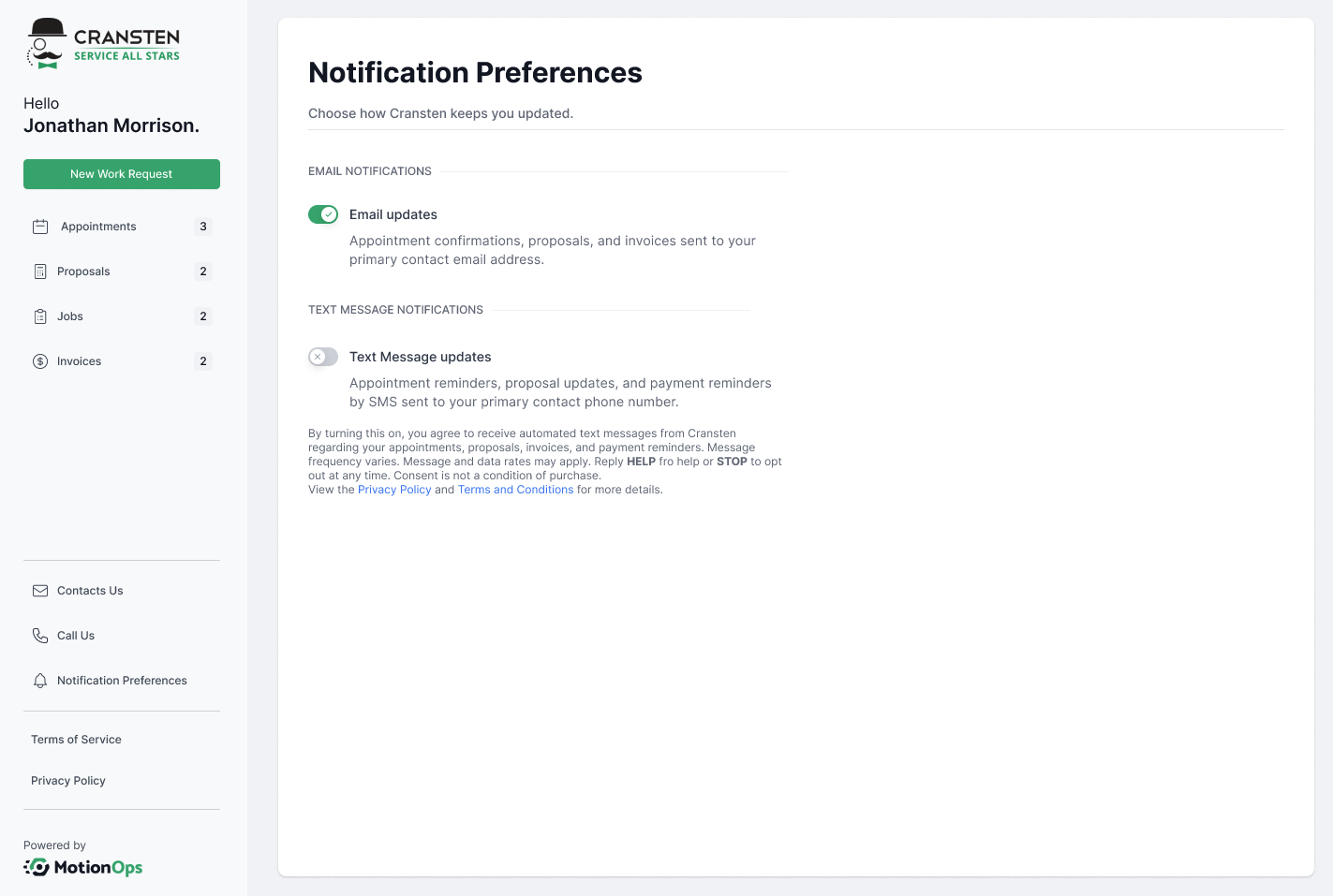
Customers with access to the business's customer portal can enable text notifications in their notification settings. The consent disclosure is shown next to the opt-in control, which is off by default. Customers can disable text notifications from the same screen at any time.
Generic Example:
Specific Example:
Method 3 - Verbal Consent (Phone or In Person)
When consent is collected verbally - over the phone or on site — team members read the following script and record the customer's affirmative response before opting them in:
"Do you consent to receive automated text messages from [Business Name] regarding your appointments, proposals, invoices, job progress, and payment reminders? Message frequency may vary. Message and data rates may apply. You can reply HELP for more information or STOP to opt out at any time. Your consent is not a condition of receiving our services. The
Terms and Conditions and
Privacy Policy can be found on our official website. May I have your permission to opt you in?"
The customer is opted in only after an explicit "Yes." and confirming their opt-in. The consent record captures the date, time, customer name, mobile number, and the team member who collected consent.
Confirmation Message
Upon opting in, the customer receives a confirmation message identifying the business, describing the program, and repeating the frequency, rates, HELP, and STOP disclosures. Example:
[Business Name]: You are now opted in to appointment, proposal & payment reminders. Msg frequency varies. Msg & data rates may apply. Reply HELP for help, STOP to opt out.
Opting Out
Customers can opt out at any time by replying STOP to any message, through the customer portal, or by contacting the business directly. Opt-outs are honored immediately and enforced at the platform level: once a number opts out, no further program messages can be sent to it unless the customer opts in again.
Latest update: August 24, 2026


