
HVAC software that sells the plan in spring and the system in fall.
Tune-ups, no-cool calls and full change-outs. MotionOps is HVAC software that runs your maintenance agreements on their own, charges the card on file and lets your tech price the replacement on site, with options the homeowner picks and signs.


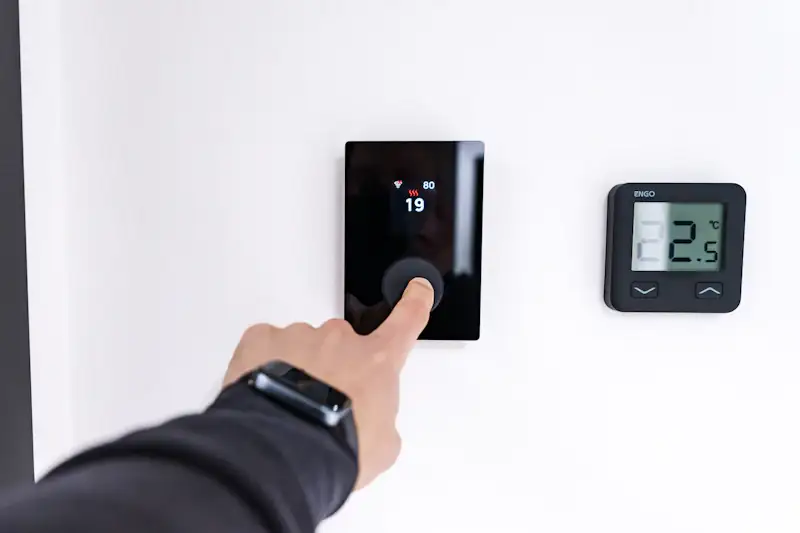
Where an HVAC shop loses money.
Between the visits.
Peak season pays the bills. The plans, the small invoices and the replacement quotes are where the margin slips.
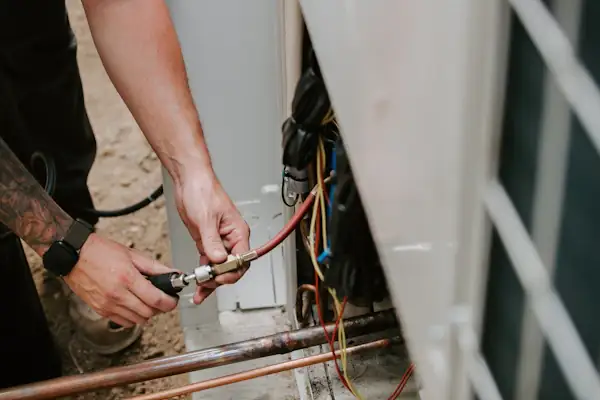
Plans sold, tune-ups never booked.
The agreements live in a spreadsheet. Spring comes, half the visits never make the schedule, and those customers don't renew.
In MotionOps: the service agreement puts every visit on the schedule as a recurring work order.
Plan fees chased one by one.
Monthly plans billed by hand, a stack of $19 invoices, and someone in the office chasing every one of them.
In MotionOps: the card on file is charged on every recurring invoice. Pass the card fee to the customer if you choose.
The replacement quote that went home in a folder.
The tech finds a 17-year-old system and promises a quote. It goes out two days later, and another shop is already in the driveway.
In MotionOps: good, better and best priced on site, signed on the tech's phone, deposit on approval.
Here's how a system replacement runs in MotionOps.
One tune-up, one replacement, two changes. The same four steps run a repair call or a new install.
- 1
Sign it
On a fall tune-up, Lena finds a cracked heat exchanger. She shows Mark the photos and three options. He picks the middle one and signs, and the 30% deposit goes on his card.
- 2
Change it
On install day the line set is corroded, so it gets replaced. Mark drops the duct cleaning. Both changes are signed, one up and one down.
- 3
Get paid
The deposit came in on approval. The balance comes in by ACH after the install.
- 4
Close it
MotionOps checks the install, the changes and the payments against the signed scope. Then it closes the job and syncs it to QuickBooks Online.
Replace furnace and AC
Hughes home · Job #7215
- Proposal signed by both sides
- Both change orders signed
- Install checklist and photos on the job
- Collected matches approved scope
What HVAC shops use most.
Plans that bill themselves, replacements sold on the visit and a schedule that holds up in July.



Maintenance plans that run themselves
Sell the plan once from an agreement template. Every visit lands on the schedule, and the card on file is charged on every recurring invoice. Go plan and up.
Good, better and best, on site
Your tech builds three options from the pricebook, with photos. The homeowner picks one and signs on the tech's phone, and the deposit is collected on approval.
A schedule built for July
Drag calls between techs and keep new calls in view until someone takes them. Put two techs on one install, and every customer gets an On My Way text.
Checklists and photos on every visit
A checklist for each tune-up and install, with photos before and after. The full history stays on the address for the next tech.
Paid before the truck leaves
Card on site, a payment link or ACH. Deposits for installs, cards on file for plans, and the card fee passed to the customer if you choose.
Know what each install made
GPS clock-in for every tech, timesheets you approve and receipts read by AI receipt capture. Job costing shows the profit on each install.
All features
The thing I found amazing about MotionOps is how easy it was to set up an account and manage my day to day tasks. I can create proposals in no time, and the way the payment is handled makes it super easy for me to collect payments.


Switching from something else?
Already on an HVAC app? See how MotionOps compares, feature by feature, with what each tool does well. All comparisons
Maintenance plans, pricebook and what a smaller HVAC shop actually needs, side by side.
MotionOps vs ServiceTitanWhat you keep, what you gain and what switching takes.
MotionOps vs Housecall ProEstimates, maintenance agreements and setup, side by side.
MotionOps vs Service FusionService agreements, payments and the crew app, side by side.
MotionOps vs FieldPulseWhat switching takes
- A call about your shopTell us how you run plans and service calls today. A real person shows you MotionOps on one of your own jobs.
- Your lists, brought overWe help you move your customers and your pricebook.
- Your next tune-up in MotionOpsSign it, change it, get paid and close it, with someone setting you up.
Questions HVAC shops ask us.
Short answers here. Call us for the long ones.
Yes. Put the plan on a service agreement, set the visits and invoices to repeat, and charge the card or bank account on file automatically. Recurring jobs and auto-charging come with the Go plan and up.
It runs the business side of service work: scheduling techs, estimates with options, maintenance agreements, invoices and payments. MotionOps does all of that in one app, with a crew app for the techs in the field.
Yes. They build the options from your pricebook, with photos, and add optional line items. The homeowner picks one and signs on the tech's phone or from a link, and a deposit can be collected on approval.
Drag calls between techs, color-code job types and keep unscheduled jobs in view. Team skills and multiple service areas are on the Scale plan.
Yes. Put more than one tech on an appointment. Each one clocks in with GPS, and their hours land on the job and on timesheets you approve, with overtime tracked.
It's built for the truck: GPS clock-in, the day's jobs, checklists, photos and payments, on iOS and Android, in English or Spanish, at no extra cost.
Yes, with QuickBooks Online (sold separately). MotionOps syncs clients, products and services, invoices, payments, refunds, tips and payouts. You choose what syncs, drafts stay out, and a sync log shows every change.
Sell the plan once.
Bill it all year.
See MotionOps run one of your own maintenance plans, from the first tune-up to the replacement it sells.
Rather talk now? (855) 739-1133