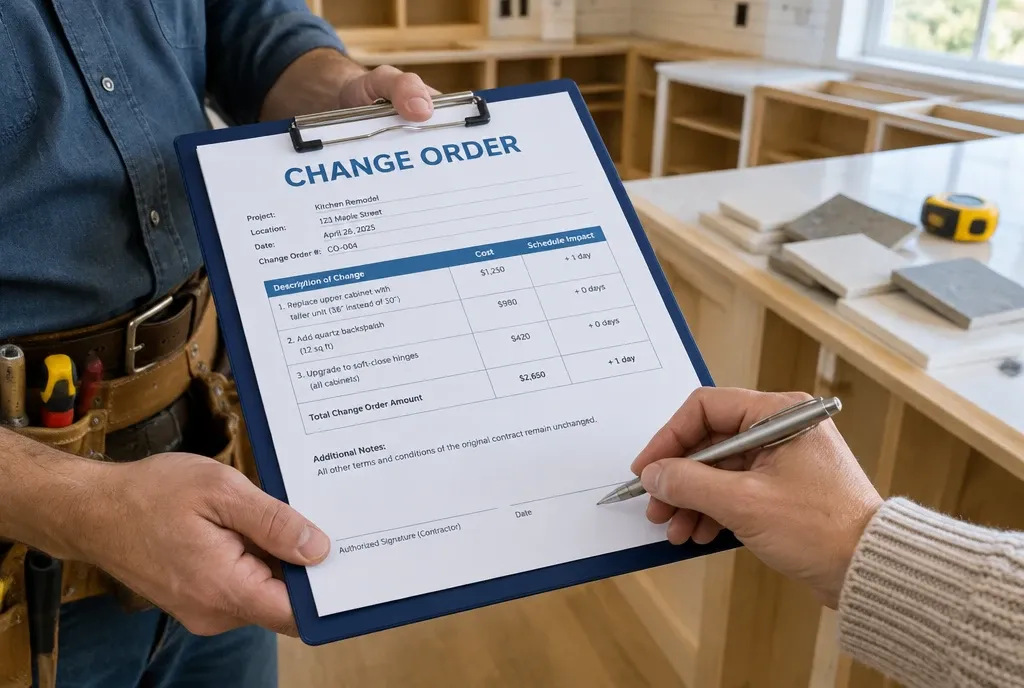
A change order is a written, signed agreement between you and the homeowner that changes the scope, price, or schedule of a job after the original contract is signed. On a remodel, it is how “while you’re here, can you also…” becomes paid work instead of a free favor.
Small unpaid extras add up fast on a multi-week project. A $300 outlet here and a $900 vanity upgrade there can wipe out the margin on a job you priced correctly. This guide covers what a change order is, why it matters, how to manage and price one, and a template you can copy today.
What is a change order?
A change order is a short document that amends your signed contract. It records what changed, what it costs, how it affects the schedule, and that both sides agreed before the work started.
Think of the original contract as the baseline. Every change order is a dated, signed adjustment to that baseline. Add them up and you have the real final price of the job.
When do you need a change order?
You need one any time the work, the price, or the finish date moves away from what the contract says. On remodeling jobs, the most common triggers are:
- Homeowner requests. New outlets, a different vanity, an extra niche in the shower, moving a wall six inches.
- Hidden conditions. Rot behind the tile, knob-and-tube wiring, a joist someone notched in 1987.
- Selection overages. The homeowner picks tile, fixtures, or cabinets that cost more than the allowance in the contract.
- Code or inspector requirements. An inspector requires work that was not in the original scope.
- Material price changes. A supplier raises prices and your contract allows you to pass that through.
- Deletions. The homeowner removes work, which should lower the price. This is a change order too.
If you are about to do something that is not written in the contract, stop and write the change order first.
Why are change orders important?
Change orders protect your margin, your schedule, and your final payment. Without them, every extra is a verbal promise that the homeowner may remember differently in six weeks.
- They get you paid for extra work. If it is not written and signed, you are negotiating the price after the work is done. That is the weakest position you can be in.
- They keep the schedule honest. A new pantry adds days. A signed change order shows the homeowner agreed to the later finish date, so the delay is not “your fault.”
- They prevent final-payment fights. Most disputes over the last invoice come down to “I didn’t agree to that.” A stack of signed change orders ends that conversation.
- They keep your crew and subs aligned. Everyone works from the same updated scope, not from what the homeowner told one guy on site.
- They show you where jobs leak money. Track change orders across jobs and you will see which estimates keep missing the same items.
- They may be legally required. Several states require home improvement change orders to be in writing. See the legal section below.
On a one-day service call, an extra is a line on the invoice. On a remodel that runs six weeks, extras stack up, and the paperwork is what keeps them billable.
Change order vs. scope creep vs. allowance overage
Scope creep is what happens when changes skip the change order. An allowance overage is one of the most common reasons to write one.
| What it is | Written and signed? | Who pays | |
|---|---|---|---|
| Change order | A formal amendment to the contract’s scope, price, or schedule | Yes, before the work | Homeowner, at the agreed price |
| Scope creep | Small extras added on site, one “quick favor” at a time | No | Usually you, out of your margin |
| Allowance overage | Homeowner picks a material that costs more than the allowance in the contract | Should be, through a change order | Homeowner, per your contract terms |
Worked example: $14,000 tile on a $6,000 allowance
Your bathroom contract includes a $6,000 tile allowance. The homeowner falls in love with a $14,000 mosaic. Here is how the change order adds up, assuming your contract applies a 15% markup to allowance overages:
| Line item | Amount |
|---|---|
| Tile selected | $14,000 |
| Tile allowance in contract | -$6,000 |
| Material overage | $8,000 |
| Markup on overage (15%, per contract) | $1,200 |
| Extra labor for mosaic pattern (12 hrs x $85/hr) | $1,020 |
| Change order total | $10,220 |
| Schedule impact | +3 working days (special-order lead time) |
Two things get missed on overages. The first is markup: if your contract does not say overages carry markup, you may only be able to bill the difference at cost. The second is labor: a pricier tile is often harder to install.
What to say to the homeowner
Keep it short and factual:
“The tile you picked is $14,000, and your contract has a $6,000 tile allowance. With markup and about 12 extra hours for the pattern, the difference is $10,220, and it adds three days. I’ve written it up as a change order. Sign it and I’ll place the order today, or I can show you two options closer to the allowance.”
Giving them a cheaper option is not backing down. It shows the price is real and lets them decide.
How to properly manage change orders
The rule is simple: no signature, no start. Put that rule in your contract, explain it at the kickoff meeting, and follow it every time, including on small items.
- Pause the changed work. Keep working on everything else. Only the item that changed waits.
- Document the reason. For homeowner requests, write down what they asked for. For hidden conditions, take photos before you touch anything.
- Write the change order the same day. Describe the new scope, the price, and the schedule impact. Number it (CO #1, CO #2) so nothing gets lost.
- Get it signed before the work starts. An e-signature on a phone is fine. A text that says “ok go ahead” is not a change order.
- Collect payment if your terms require it. Many remodelers collect a deposit or full payment on change orders up front, especially for special-order materials.
- Update everyone. Adjust the schedule, tell the crew and affected subs, and place any new material orders.
- Bill it on the next invoice. Add approved change orders to your next progress invoice so the homeowner sees the running total.
- Keep a change order log. One list per job: number, date, description, amount, status. Review it before the final invoice.
Rules that save the most arguments
- Price it before you do it. “We’ll figure it out at the end” is how $500 jobs turn into $2,000 disputes.
- Write deletions too. Credits for removed work build trust and keep the contract total accurate.
- Don’t let anyone on site approve changes. Only the person who can sign for your company should agree to new work.
- Show the running total. A homeowner who sees “Contract $48,000 + change orders $6,350 = $54,350” on every invoice will not be surprised at the end.
What to include in a change order (free template)
A good change order answers three questions in under a minute: what changed, what it costs, and when the job will now finish. Copy the fields below into your own form.
| Field | What to write | Example |
|---|---|---|
| Change order number | Sequential per job | CO-003 |
| Date | Date written | Oct 14, 2026 |
| Project | Client name and job address | Miller bathroom, 412 Oak St. |
| Original contract | Date and amount of the signed contract | Sep 2, 2026, $48,000 |
| Description of change | Plain-language scope, specific enough to check | Replace allowance tile with selected mosaic, master shower walls and niche |
| Reason | Homeowner request, hidden condition, allowance overage, code requirement | Allowance overage |
| Cost breakdown | Materials, labor, subs, markup | Tile $8,000 over allowance, markup $1,200, labor $1,020 |
| Change order amount | Add (+) or credit (-) | +$10,220 |
| Revised contract total | Original contract plus all approved change orders | $58,220 |
| Schedule impact | Days added or removed, new completion date | +3 working days, new finish Nov 21, 2026 |
| Payment terms | When this change order is paid and how it changes the progress payment schedule | 50% on signing, 50% with next progress invoice |
| Signatures | Contractor and homeowner, with dates | Both signed before work starts |
Quick checklist before you send it
- Scope is specific enough that a stranger could check the work against it
- Price includes markup and any extra labor, not just materials
- Schedule impact is stated, even if it is zero days
- Revised contract total is shown
- Photos are attached for hidden conditions
- Signature line for the homeowner, dated
How to price a change order
Price a change order with the same markup as the original job, or higher. Changes cost more to manage than planned work: extra trips to the supplier, small orders with delivery fees, re-sequencing the crew, and your own time writing it up.
Start with your direct costs, then apply markup:
Change order price = (materials + labor + subs + disposal) × (1 + markup)
Example: $1,000 in direct cost at a 25% markup is a $1,250 change order. That is a 20% gross margin, because margin is measured on the price, not on the cost. Mixing up markup and margin is one of the fastest ways to underprice changes.
Don’t forget these costs
- Labor you did not plan for, including tear-out and rework of finished areas
- Remobilization, if a sub has to come back for a second visit
- Disposal and cleanup for removed materials
- Permit revisions or re-inspections triggered by the change
- Admin time. Some remodelers add a flat fee per change order. If you do, state it in the contract.
Price the schedule, not only the work
If a change pushes the finish date, say so on the change order. A homeowner who signs “+5 working days” cannot hold the delay against you later. If the delay pushes other jobs, that cost belongs in the price too.
Are written change orders required by law?
In some states, yes. California is the clearest example: on home improvement contracts over $500, a change order only becomes part of the contract if it is written and signed by both parties before the changed work starts (Cal. Bus. & Prof. Code § 7159).
Under the same section, a California change order must state:
- The scope of the extra or changed work
- The amount added to or subtracted from the contract
- The effect on the progress payment schedule or the completion date
If the job uses subcontractors, the subcontractor disclosure from the main contract must also appear on each change order. A contractor who skips the paperwork can still try to recover payment through unjust-enrichment claims in court, but that is slow, expensive, and uncertain.
Other states set their own rules for home improvement contracts. Check with your state licensing board or a construction attorney before you finalize your change order form. This section is general information, not legal advice.
Change order FAQ
Can a change order be verbal?
It can be agreed verbally, but it should never stay verbal. In states like California, a verbal change order on a home improvement job is not enforceable as part of the contract. Write it down and get a signature before the work starts.
Who should sign a change order?
The homeowner (every owner on the contract, if your contract requires it) and someone authorized to sign for your company. A lead carpenter saying “sure” on site does not count.
What if the homeowner refuses to sign?
Do not do the extra work. Offer a lower-cost option or leave the scope as contracted. For a hidden condition that blocks the job, document it with photos, explain the options in writing, and get advice before proceeding.
Can I charge a fee for writing a change order?
Yes, if your contract says so. Some remodelers add a flat admin fee per change order. Others build the time into their markup.
When should a change order be paid?
When your contract says. Many remodelers collect part or all of the change order amount at signing, especially for special-order materials. Others add it to the next progress invoice.
Is a change order the same as a contract addendum?
Not quite. An addendum usually adds or clarifies terms of the contract. A change order adjusts the scope, price, or schedule of the work during the job.
Manage change orders in MotionOps
MotionOps is field service software built for contractors whose jobs run for days or weeks, where change orders are part of every project. Instead of a paper form in the truck and a text thread with the homeowner, the change order lives on the job:
- Create it on site or in the office, attached to the job it changes
- Send it by email or text so the homeowner can review it right away
- Get it signed electronically on a phone or desktop before work starts
- Bill it through the same system you use for invoices and payments
- See the real job profit with change orders, time, and materials in one place
If your change orders still live in notebooks and text messages, try MotionOps free and run your next one from your phone.