



Product
We have based our product development on hundreds of customer insights. The idea was to make service management easier, to make space for growth. Reviews say we did it.


Motionops seamlessly integrates with quickbooks
Sync jobs, clients, and money movement from MotionOps to QuickBooks Online - clean, fast, and on your terms.
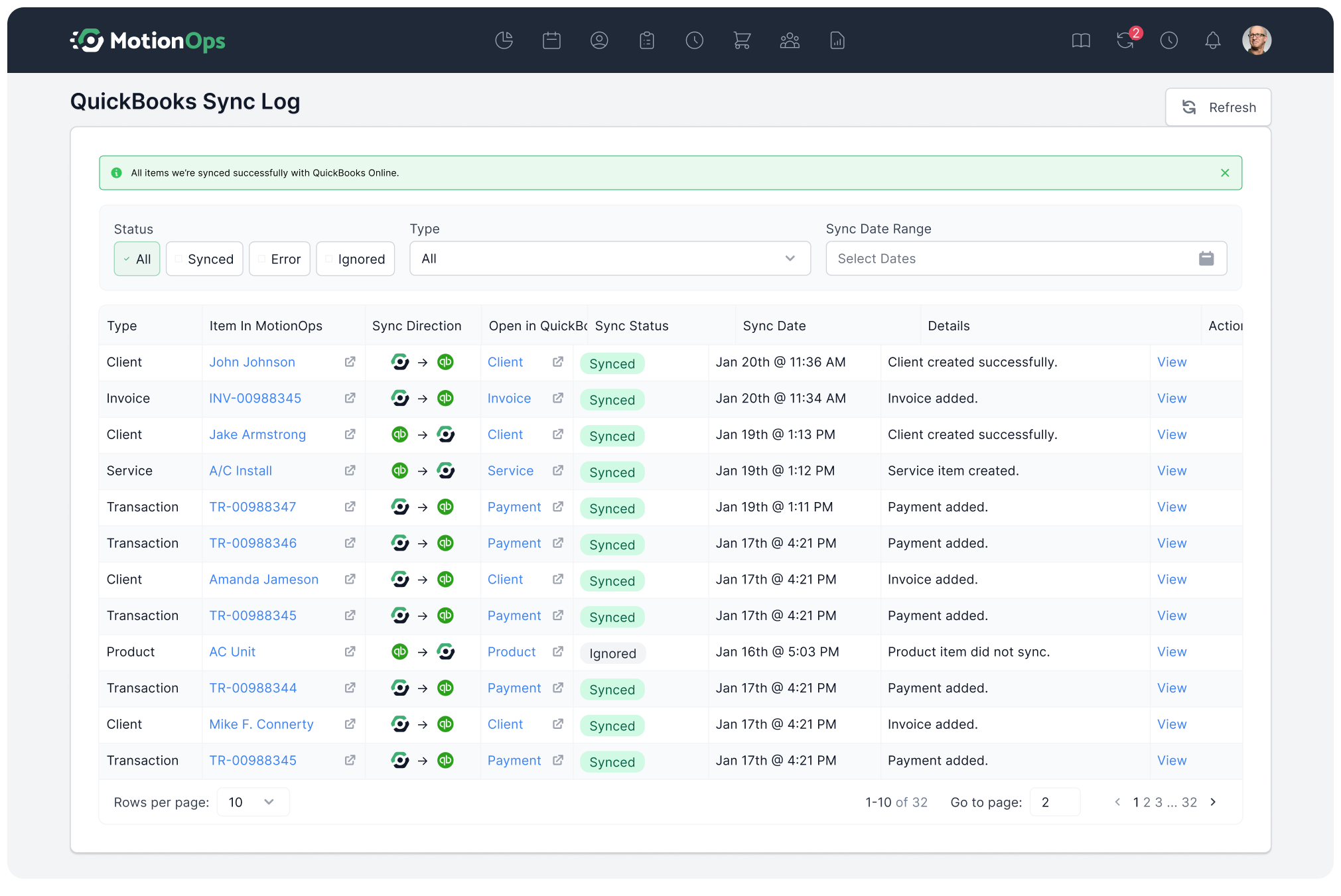


Stop retyping. MotionOps pushes the essentials straight into QuickBooks so your books stay clean without extra work.
 Clients & contactsProducts & services (for itemized invoices)Invoices & invoice statusesPayments, refunds, tips, and payouts
You decide what goes over and when. No surprises, no clutter - just full control of your books.
Check the real-time sync logPush only clients when they appear on invoicesKeep drafts out of QuickBooks until readyStay clear of messy duplicate entriesSet it up once, then keep your books tidy as you scale.
One-way sync to reduce duplicates and awkward mergesClear mapping to items and accounts to keep reporting accurateCommon sync issues are surfaced with guidance to fix fastWorks with QuickBooks Online subscription
“I manage all our HR processes, as well as operations (scheduling, accounts, payments etc.) and having all the information in one system made my life so much easier. We love how simple to use MotionOps is. The thing that delighted me was how helpful and available their customer support was, a true refreshment to the solutions we used before.”

We have based our product development on hundreds of customer insights. The idea was to make service management easier, to make space for growth. Reviews say we did it.
We came from the service business and we know how every minute matters. That is why we are obsessed with achieving the best in class customer service.

Our pricing is created to support the growth of your business. Not to make it more difficult. $39/month sounds fair enough?

1. Log in to your MotionOps account. 2. Go to Settings → Integrations → QuickBooks Online. 3. Click Connect QuickBooks. 4. Sign in with your QuickBooks Online credentials. 5. Choose the QuickBooks company file you want to link. 6. Approve the permissions request so MotionOps can sync data. Once connected, you can adjust your sync preferences - like which invoices, payments, and items you want MotionOps to send to QuickBooks.
No. You choose when to sync. This way, only finalized invoices and payments get pushed over, keeping your books clean and accurate.
Yes. You can select which invoices, payments, and items get sent. Drafts, test jobs, or pending work won’t clutter your QuickBooks account unless you approve them.
MotionOps flags common issues (like missing items or account mappings) and gives you step-by-step guidance to fix them before re-syncing.
No. MotionOps uses matching rules to avoid duplicates. If a record already exists, it links instead of creating a new one.
Yes. You’ll need an active QuickBooks Online subscription (sold separately). MotionOps connects to your QuickBooks account to sync your data.
