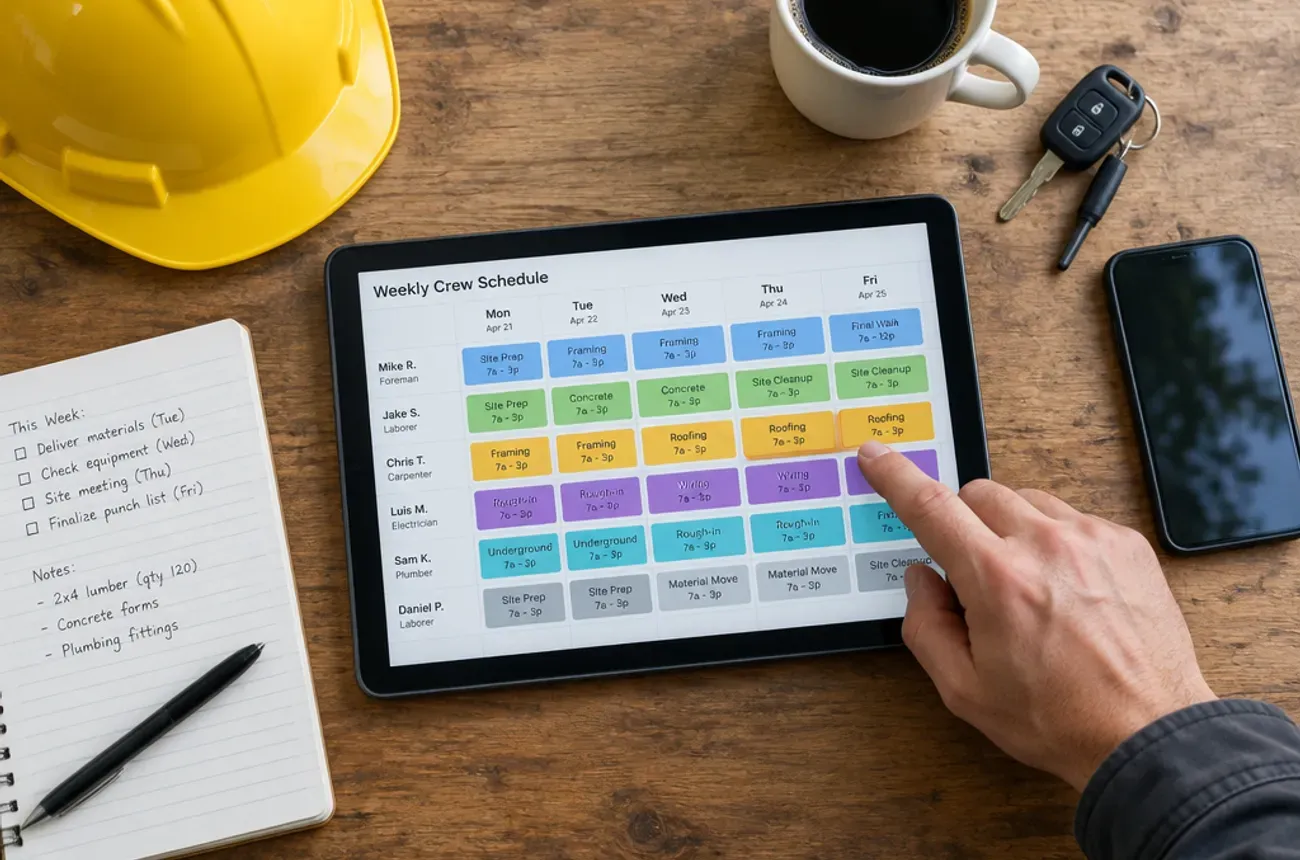
The best software for a remodeling company is one that runs the whole project in one place: proposal, signed contract, change orders, crew and sub schedule, progress payments, job costing, and homeowner updates. Tools built for one-day service calls can do some of this, but remodelers who run jobs for weeks usually need project-based software.
Below we compare six remodeling software options on what they do well, where they fall short, and what they cost as of October 2026.
Full disclosure: MotionOps wrote this guide, and MotionOps is one of the tools on the list. We kept the other reviews factual and linked every price to its source so you can check it.
Quick picks: best remodeling software in 2026
The right pick depends mostly on company size and how much estimating detail you need. Prices are from each vendor’s site or listing as of October 2026; Buildertrend no longer publishes prices.
| Software | Best for | Starting price | Pricing model | Trial |
|---|---|---|---|---|
| MotionOps | Remodelers and project-based trades that also run some service work | $39/mo (Solo, 1 user, billed annually); Go from $119/mo for up to 5 users | By plan, plus per extra user | 14 days |
| Buildertrend | Larger remodelers and home builders who want every feature | Quote based on annual construction volume (last published: $449/mo billed annually, late 2024) | Unlimited users | Demo |
| JobTread | Remodelers who want detailed estimates and budgets | $199/mo with 1 internal user, plus $20 per extra user ($159 + $18 billed annually) | Per internal user | No trial; 30-day money-back guarantee |
| BuildBook | Small remodelers who want simple project and client management | $79/mo (Solo, billed annually) | Flat by plan | Yes |
| Houzz Pro | Design-build firms that want Houzz leads, 3D plans, and takeoffs | $64.99/mo (Starter, monthly in-app); Pro listed at $399/mo | Tiered plans | 30 days |
| Projul | Remodelers who want flat pricing with no per-user fees | $2,388/yr (Starter, up to 3 users) | Flat by user band | Demo |
What remodeling software needs to do
Remodeling software has to follow a project for weeks, not a visit for hours. These are the features that decide whether a tool fits:
| Feature | Why it matters on a remodel |
|---|---|
| Proposals with e-signature | The signed proposal becomes the contract every later change is measured against |
| Change orders | Several per job; each needs a signature before the work and a place in the running total |
| Scheduling by phase and crew | You juggle several jobs, your crew, and subs who show up in a set order |
| Progress billing | Deposits and milestone payments keep cash flowing on a 6-week job |
| Job costing | Budget vs. actual during the job, while you can still fix it |
| Homeowner portal or updates | Fewer “just checking in” calls and faster approvals on selections |
| Time and expense tracking by job | Crew hours and receipts land on the right project |
If a tool is missing two or more of these, expect to run spreadsheets and text threads next to it.
1. MotionOps
Best for: remodelers and home improvement companies whose jobs run for days or weeks, especially if they also take some service calls.
MotionOps is field service software built around multi-day, project-based work. It covers the job from the first lead to the final payment, so the office and the field work from the same information.
Strengths
- CRM, proposal builder, and e-signatures for contracts
- Change orders created on site or in the office, sent by email or text, and signed on a phone
- Scheduling by crew availability and skills, with fewer double bookings
- Time, materials, expenses, and receipts tracked by job
- Invoicing, payments, and a customer portal link for homeowners
- Job profitability, payroll prep, and HR documents in the same system
- App available in English and Spanish
Limits
- A younger, smaller vendor than Buildertrend, with fewer third-party integrations listed
- Large production home builders who need warranty and selections workflows may want a builder-focused platform
Pricing: Solo is $39/mo billed annually ($59/mo month to month) for 1 user. Go is $119/mo billed annually ($149/mo month to month) for up to 5 users, plus $29 per additional user, and adds job costing, recurring jobs, checklists, and AI expense tracking. Scale is $199/mo billed annually ($249/mo month to month) with 5 users included, plus $49 per additional user, for multiple locations and crews. Every plan starts with a 14-day free trial (MotionOps pricing).
2. Buildertrend
Best for: established remodelers and home builders with an office team who want one system for everything, including selections and warranty.
Buildertrend is the best-known residential construction platform. It bought its largest rival, CoConstruct, in 2021, and CoConstruct is no longer sold to new customers.
Strengths
- Gantt and calendar scheduling, daily logs, and a client portal
- Estimating, change orders, budgets, and purchase orders
- Client selections and warranty tracking for builders
- Unlimited users and projects in every quote
- QuickBooks and Xero integrations
Limits
- No published pricing. Since early 2025, quotes are based on your annual construction volume, so your price can rise as your company grows.
- A big system to learn. Reviews often mention a learning curve, and Buildertrend offers a separate onboarding program called Boost.
- More than a small remodeler may need. Many features target home builders.
Pricing: custom quote. Buildertrend’s last published plans (late 2024) ran from $449/mo (Essential, billed annually) to $1,099/mo (Complete, monthly), per Projul’s Buildertrend pricing analysis.
3. JobTread
Best for: remodelers who price jobs in detail and want estimates, budgets, and job costing tightly linked.
JobTread sells one plan with every feature and charges per internal user. Customers, vendors, and subs get portal access at no extra cost.
Strengths
- Detailed estimating built from a catalog of cost items and groups
- Budgets and job costing tied directly to the estimate
- Gantt scheduling that users often praise
- Free customer, vendor, and sub portals
- Published pricing, no contract, no setup fee, and free implementation and training
Limits
- Per-user pricing. Every office or management user adds $20/mo (or $18 billed annually).
- Setup takes discipline. You get the most from it after building cost item lists; a team that mostly wants a scheduler may find it heavy.
- No free trial. Monthly plans come with a 30-day money-back guarantee instead.
Pricing: $199/mo including 1 internal user, plus $20/mo per additional user; $159/mo plus $18 per user on annual billing (Capterra listing).
4. BuildBook
Best for: small remodelers running a handful of projects who care most about a smooth homeowner experience.
BuildBook is construction management software for residential builders and remodelers, and it is part of Housecall Pro’s brand portfolio. Its pitch is simplicity: a team can start without training.
Strengths
- Drag-and-drop scheduling and a task planner
- Client dashboard, project messaging, and daily client logs
- Selection status updates for homeowners
- Budget categories for each project
- Simple setup with a free trial
Limits
- Lighter on operations. Reviews mention limits in integrations, scheduling, and customization.
- Built for projects only. If you also run service calls, they would live in a separate tool such as Housecall Pro.
Pricing: from $79/mo (Solo, billed annually), with Team and Business plans above it (Capterra listing).
5. Houzz Pro
Best for: design-build remodelers who sell with visuals and want leads from the Houzz marketplace.
Houzz Pro combines business software with a profile on Houzz, where homeowners browse projects and find pros. It is built for builders, remodelers, interior designers, and design-build firms.
Strengths
- 3D floor plans and takeoffs from uploaded plans
- AI-assisted estimates and proposals
- Contracts, bid management, and selections management
- QuickBooks sync
- Leads from the Houzz marketplace
Limits
- Pricing is hard to pin down. Plans are tiered, and published figures differ by source and plan.
- The full toolset sits on higher tiers. Capterra lists the Pro plan at $399/mo.
- Design-first. Its standout tools are for selling and designing, so test crew scheduling and field workflows closely during the trial.
Pricing: in-app plans start at $64.99/mo (Starter, monthly) per the App Store listing, which also offers a 30-day free trial; Capterra lists Pro at $399/mo.
6. Projul
Best for: growing remodelers who want flat, published pricing with no per-user fees.
Projul is construction management software for general contractors, remodelers, and specialty contractors. Plans are priced by user band rather than per seat or by revenue.
Strengths
- Flat pricing with no per-user fees, published on its site
- Gantt scheduling and geo-fenced time tracking
- Estimates, change orders, and progress billing
- Job costing, QuickBooks sync, and a client portal on higher plans
- Selections, daily logs, and purchase orders on the Pro plan
Limits
- Key remodeling features sit on upper plans. Change orders and the mobile app start on Core; job costing, progress billing, QuickBooks sync, and the client portal start on Core+ ($7,188/yr).
- Annual cost adds up at the top. Pro, with unlimited users, is $14,388/yr.
Pricing: Starter $2,388/yr (up to 3 users), Core $4,788/yr (up to 10), Core+ $7,188/yr (up to 20), Pro $14,388/yr (unlimited), with monthly billing also available (Projul).
How to choose remodeling software
Start with how your company works today, then pick the tool that fits that shape:
| If you are… | Look at |
|---|---|
| A remodeler with crews and subs who also takes some service calls | MotionOps |
| A remodeler who builds detailed estimates from a cost catalog | JobTread |
| A design-build firm that sells with 3D plans and wants Houzz leads | Houzz Pro |
| A small remodeler running a few projects, focused on the homeowner experience | BuildBook |
| A growing team that wants flat, published pricing | Projul |
| An established remodeler or builder with office staff that needs selections and warranty | Buildertrend |
Three questions to ask in every demo
- Show me a $60,000 kitchen with a deposit, three progress payments, and two signed change orders.
- Show me next week’s schedule across four active jobs, including a sub who starts mid-week.
- Show me whether that kitchen is on budget halfway through the job.
The tool that answers all three without a workaround is the one to shortlist.
FAQ
What is the best software for a small remodeling company?
For a small remodeler, the best fit is usually the simplest tool that still handles change orders and progress payments. BuildBook is the lightest option, MotionOps fits small crews that also take service calls, and JobTread fits teams that estimate in detail.
How much does remodeling software cost?
Most options in this guide start between about $40 and $200 per month for a small team. Buildertrend is quote-only; its last published plans started at $449/mo billed annually. Check whether a tool charges per user, by user band, or by your annual volume, since that decides what you pay as you grow.
Can I use Jobber or Housecall Pro for remodeling?
Yes, for short jobs that last a few days. On multi-week projects, service tools tend to strain on change orders, progress billing, and phase scheduling. See our comparison of Jobber, Housecall Pro, and ServiceTitan for remodelers.
Do I need separate estimating software?
Not always. JobTread builds estimates from a cost catalog, and Houzz Pro includes takeoffs from uploaded plans. If you estimate from detailed plans every day, test those features first.
What should I move into new software first?
Start with active jobs: signed contracts, open change orders, and the payment schedule for each. Old completed jobs can come later.