Las hojas de cálculo suelen ser el primer sistema operativo real de un negocio de contratación.
Ayudan a registrar prospectos, organizar calendarios, estimar costos, anotar horas de empleados y vigilar facturas. Cuando la empresa es chica, el dueño puede ser la única persona que actualiza los archivos, y la única que necesita entender cómo funcionan.
Después el negocio crece.
Hay más trabajos corriendo al mismo tiempo. Varias cuadrillas necesitan información vigente. Los clientes piden cambios después de empezar. Recibos, hojas de tiempo, fotos y aprobaciones llegan de lugares distintos. Al poco tiempo, la hoja de cálculo ya no ayuda al negocio a estar ordenado: se está volviendo otra fuente de riesgo operativo.
El momento de comprar software de gestión para contratistas no lo determina solo el número de empleados. Una empresa de cuatro personas con proyectos complejos de varias semanas puede necesitar un sistema conectado antes que una de 15 que hace llamadas de servicio simples y repetibles.
La mejor pregunta es esta:
¿Tu proceso actual puede mover información exacta de la oficina al campo, y de regreso, sin que alguien sostenga todo manualmente?
Si la respuesta se está volviendo “no”, vigila estas siete señales.
Por qué los problemas de hojas de cálculo aparecen después de crecer
Las hojas de cálculo son buenas guardando información. Son menos efectivas controlando un flujo de trabajo.
Una hoja puede mostrar que un trabajo está agendado, pero no puede asegurar de forma confiable que:
-
La cuadrilla asignada recibió el alcance más reciente
-
Cada trabajador vio el cambio de calendario
-
Las horas de campo se registraron contra el trabajo correcto
-
El cliente aprobó el trabajo adicional
-
Los gastos de material entraron al costo del trabajo
-
La factura final refleja todo lo completado
-
Se recogieron las fotos, firmas y documentos requeridos
Mientras el negocio es chico, el dueño o el gerente de oficina llena esos huecos con memoria, mensajes, llamadas y revisiones manuales. El crecimiento suma entregas entre personas, y cada entrega crea otra oportunidad para que la información se retrase, se duplique o se pierda.
Ahí es cuando la operación empieza a sentirse caótica, aunque las hojas de cálculo sigan viéndose ordenadas.
1. Nadie sabe cuál versión es la buena
Una hoja vive en la computadora de la oficina. Otra se le mandó por correo a un jefe de proyecto. Un jefe de cuadrilla guardó una copia en el teléfono. Alguien creó una pestaña nueva porque no quería sobrescribir la original.
Ahora existen tres versiones del calendario y nadie está completamente seguro de cuál es la correcta.
Este problema suele aparecer primero en la programación, pero también puede afectar presupuestos, datos de clientes, listas de material, horas de empleados y reportes de costo.
Lo que cuesta la entrega rota
Cuando la gente trabaja con versiones distintas, las consecuencias van más allá de una molestia administrativa menor. Puedes mandar a la cuadrilla equivocada, pedir materiales incorrectos, perder una cita o ejecutar trabajo con un alcance viejo.
La oficina después gasta tiempo adicional averiguando qué pasó y corrigiendo el registro.
Qué cambia un expediente conectado
Un sistema conectado le da a la oficina y al campo una sola fuente vigente de información. Cuando el calendario, el alcance o la asignación cambian, el expediente cambia para todos los que tienen acceso.
En vez de preguntar “¿tienes el archivo más nuevo?”, el equipo simplemente abre el trabajo.
2. El dueño o el gerente de oficina se volvió la integración humana
La cuadrilla le escribe al dueño por una dirección. El dueño llama a la oficina para confirmar el alcance. La oficina busca el presupuesto y se lo reenvía al jefe de proyecto. Después, el jefe de proyecto le manda fotos de vuelta al dueño, que tiene que recordar dónde guardarlas.
Si una persona tiene que mover continuamente información entre gente y sistemas, el negocio no tiene un flujo confiable. Tiene una integración humana.
Esto es especialmente común en un equipo en crecimiento. Conforme sube el volumen, el dueño se vuelve el despachador por defecto, el resolvedor de problemas, el buscador de documentos y el cuello de botella de aprobaciones.
Lo que cuesta la entrega rota
El tiempo de la dirección se consume en coordinar en vez de en ventas, calidad, contratación y decisiones financieras. El trabajo también se frena cada vez que la persona que sostiene el proceso no está disponible.
El negocio puede parecer que necesita otro administrativo cuando el problema de fondo es que la información no se mueve sin intervención manual.
Qué cambia un expediente conectado
Un expediente centralizado permite que los miembros autorizados del equipo encuentren datos del cliente, instrucciones de trabajo, calendarios, documentos, fotos e historial sin que cada duda pase por el dueño.
Eso no elimina la responsabilidad. La vuelve más fácil, porque cada persona puede ver lo que necesita y de qué es responsable a continuación.
3. Las actualizaciones de campo están regadas entre mensajes, correo y carretes de fotos
Tu cuadrilla está documentando el trabajo, pero la información no llega al lugar correcto.
Las fotos de avance se quedan en carretes personales. Los recibos de material llegan en un chat grupal. Las notas de sitio se mandan por correo. Una aprobación del cliente queda enterrada en una conversación a la que solo un empleado tiene acceso.
Cada método puede funcionar por separado. El problema es que ninguno crea un expediente completo y permanente.
Lo que cuesta la entrega rota
El personal de oficina gasta tiempo buscando evidencia antes de facturar o de responderle al cliente. Los detalles importantes pueden desaparecer cuando un empleado se va, borra una conversación o cambia de teléfono.
Si un cliente disputa el trabajo, tu equipo puede saber que la documentación existe sin poder encontrarla rápido.
Qué cambia un expediente conectado
La documentación de campo debería adjuntarse directamente al trabajo correspondiente conforme se crea. Fotos, videos, notas, listas, recibos y firmas deberían volverse parte del historial, no archivos sueltos que alguien tenga que organizar después.
MotionOps, por ejemplo, conecta fotos de trabajo, actualizaciones de orden, listas, documentos, programación y otros flujos de campo y oficina dentro de una sola plataforma.
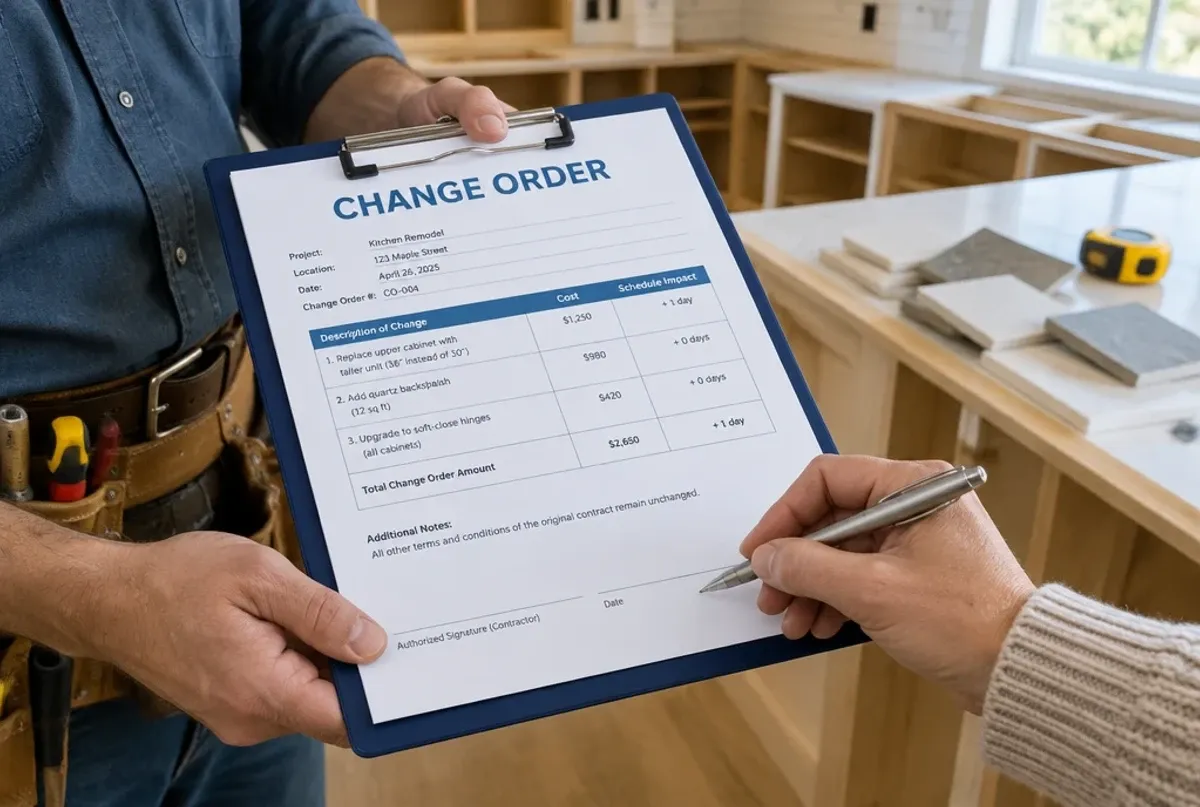
4. Las órdenes de cambio se aprueban de palabra y se reconstruyen después
El cliente pide una mejora mientras la cuadrilla ya está en sitio. El jefe de proyecto acepta el cambio y le dice a la oficina que lo agregue después.
Después el trabajo se llena.
El cambio de alcance queda registrado en una nota, en un mensaje o en ningún lado. Para cuando empieza la facturación, nadie recuerda el precio exacto, el impacto en el calendario ni la redacción que el cliente aprobó.
Esta es una de las señales más claras de que un negocio de contratación ya rebasó las hojas de cálculo. La hoja puede registrar el presupuesto original, pero no controla lo que tiene que pasar cuando el trabajo cambia.
Lo que cuesta la entrega rota
El trabajo sin aprobar genera disputas de pago, y el trabajo sin documentar se queda fuera de la factura con facilidad. Aunque el cliente pague, la mano de obra y los materiales adicionales pueden no entrar nunca al cálculo de costo.
Eso significa que puedes perder tanto ingreso como información exacta de margen.
Qué cambia un expediente conectado
Un flujo de reemplazo debería permitirle al equipo documentar el alcance nuevo, cotizarlo, obtener firma y adjuntar la aprobación al trabajo existente antes de que empiece el trabajo extra.
Para ver este proceso de cerca, lee Cómo manejar órdenes de cambio sin perder al cliente.
5. Te enteras de si un trabajo fue rentable cuando ya es tarde
El presupuesto está en una hoja. Las horas de empleados en otra. Los recibos en una carpeta, o todavía en la camioneta de alguien. Las órdenes de cambio guardadas en el correo. Contabilidad tiene la factura final, pero no necesariamente la historia operativa detrás.
Eventualmente alguien junta los números y calcula el margen.
Para entonces, el trabajo ya terminó.
Lo que cuesta la entrega rota
Costear tarde convierte la gestión financiera en una autopsia. Puedes identificar que el negocio perdió dinero, pero ya no puedes ajustar el plan de cuadrilla, atender el crecimiento de alcance, verificar horas ni cambiar lo que falta.
También vuelve menos confiables tus estimaciones futuras, porque los datos reales de producción están incompletos.
Qué cambia un expediente conectado
La mano de obra, los materiales, los gastos y los cambios aprobados deberían fluir al mismo expediente mientras el trabajo ocurre. Así los gerentes pueden comparar costo estimado y real antes de que desaparezca el margen.
Si la rentabilidad por trabajo es uno de tus mayores problemas con las hojas de cálculo, esta guía explica qué debería esperar un contratista de un software de costeo.
6. Programación, registro de tiempo y nómina cuentan historias distintas
El calendario dice que un empleado trabajó en el trabajo A. Su hoja de tiempo dice trabajo B. El jefe de proyecto recuerda haberlo movido a media jornada, pero el cambio nunca se registró.
Ahora la oficina tiene que reconstruir qué pasó antes de poder preparar la nómina o calcular costos.
Conforme crece el equipo, la programación y el registro de tiempo no pueden operar como tareas administrativas separadas. Representan dos vistas del mismo evento operativo: dónde se esperaba que trabajara el empleado y dónde se usó realmente su mano de obra.
Lo que cuesta la entrega rota
Los gerentes pasan horas corrigiendo hojas de tiempo, la preparación de nómina se frena y la mano de obra puede asignarse al proyecto equivocado. Eso genera reportes de costo inexactos aunque el total de nómina esté correcto.
La confusión de calendario también contribuye a llegadas tarde, cuadrillas sin preparar y expectativas de cliente incumplidas.
Qué cambia un expediente conectado
Un flujo de reemplazo debería conectar asignaciones de cuadrilla, detalles del trabajo, registros de tiempo y aprobaciones del gerente. El objetivo no es simplemente digitalizar hojas de tiempo: es crear una conexión rastreable entre trabajo programado, trabajo completado, nómina y rentabilidad.
7. Facturar depende de una última ronda de investigación
Un trabajo técnicamente está completo, pero la factura todavía no puede salir.
La oficina aún necesita confirmar horas, juntar recibos, localizar fotos, verificar si el cliente aprobó trabajo adicional y preguntarle al jefe de proyecto si todo quedó terminado.
Esa “limpieza” puede tomar días. A veces toma lo suficiente para que parte del trabajo completado nunca llegue a la factura.
Lo que cuesta la entrega rota
Las facturas retrasadas crean flujo de efectivo retrasado. Los materiales, la mano de obra o las órdenes de cambio faltantes reducen lo que cobras. La experiencia del cliente también sufre cuando una factura llega tarde o trae partidas que hay que explicar y corregir.
Mientras más grande el hueco entre terminar y facturar, más difícil es reconstruir los detalles con exactitud.
Qué cambia un expediente conectado
Un flujo controlado de cierre puede exigir cierta información antes de marcar una orden de trabajo como completa. La oficina ve de inmediato si están presentes las hojas de tiempo, los gastos, las firmas, las listas y demás registros requeridos.
Cuando el expediente está completo, facturar se vuelve el último paso del flujo, no una investigación aparte.
Qué debe controlar realmente un software de gestión para contratistas
Reemplazar hojas de cálculo no significa recrear las mismas pestañas dentro de otra aplicación. Una base de datos más bonita no va a arreglar una entrega rota.
Un buen software de gestión para contratistas debería controlar el movimiento de un trabajo por toda la operación:
-
Un prospecto se vuelve cliente y propuesta.
-
La propuesta aprobada se vuelve un trabajo agendado.
-
La cuadrilla recibe el alcance y los detalles vigentes.
-
La actividad de campo, incluidas mano de obra, materiales, fotos y notas, se captura en la fuente.
-
Los cambios de alcance se documentan y se aprueban.
-
Los costos reales se comparan con el presupuesto.
-
Se verifican los requisitos de terminación.
-
El valor completo del trabajo pasa a la factura.
-
El pago y el historial quedan adjuntos al expediente del cliente.
También debería ofrecer:
-
Estados y responsables claros por trabajo
-
Accesos por rol para oficina y campo
-
Flujos móviles que la cuadrilla pueda adoptar de verdad
-
Avisos cuando se requiere una acción
-
Pasos de aprobación para excepciones financieras u operativas
-
Un historial consultable de decisiones y documentos
-
Reportes basados en datos operativos vigentes
-
Integración con las herramientas contables que ya usa el negocio
La mejor prueba de compra no es una lista genérica de funciones. Toma uno de tus trabajos reales más complicados y pídele al proveedor que lo recorra por la plataforma, de la propuesta inicial al pago final.
Eso va a revelar mucho más que una demo pulida.
Autoevaluación: ¿tu negocio ya rebasó las hojas de cálculo?
Marca cada afirmación que te suene familiar:
[ ] Con frecuencia tenemos varias versiones del mismo calendario o del mismo archivo de trabajo.
[ ] Los empleados llaman o escriben al dueño para encontrar información básica del trabajo.
[ ] Fotos, recibos o aprobaciones importantes viven en teléfonos personales.
[ ] La información del cliente se captura en más de un sistema.
[ ] Las órdenes de cambio a veces se aprueban de palabra.
[ ] La oficina tiene que perseguir al campo por hojas de tiempo o recibos.
[ ] No podemos ver rentabilidad confiable mientras el trabajo está en curso.
[ ] Los registros de programación y los de nómina necesitan conciliación con frecuencia.
[ ] De vez en cuando falta trabajo completado en las facturas.
[ ] Las facturas se retrasan mientras la oficina junta información del trabajo.
[ ] La operación se frena cuando un empleado clave no está disponible.
[ ] Agregar otra cuadrilla generaría más trabajo administrativo del que podemos manejar con comodidad.
Cómo interpretar tu resultado
0 a 2 señales: tus hojas de cálculo todavía pueden ser manejables, pero empieza a documentar tus flujos antes de que el crecimiento sume complejidad.
3 a 4 señales: probablemente ya estás pagando un costo administrativo significativo. Es momento de mapear tus entregas y evaluar un software de gestión.
5 o más señales: tu sistema actual probablemente está limitando el crecimiento, debilitando la visibilidad financiera o exponiendo al negocio a pérdidas de ingreso evitables.
El verdadero momento de comprar
Tu negocio no rebasó las hojas de cálculo simplemente porque contrataste cierto número de personas.
Las rebasó cuando el trabajo ya no se mueve de forma confiable de ventas a programación, de la oficina al campo y del trabajo terminado al ingreso cobrado.
Ese es el verdadero momento de comprar.
La meta de reemplazar hojas de cálculo no es sumar más software. Es darle a cada trabajo un expediente operativo conectado, para que el alcance vigente, el calendario, los costos, las aprobaciones, la documentación y los detalles de factura se muevan juntos.
Un contratista de remodelación reportó que consolidar varios sistemas separados en MotionOps redujo la doble captura, simplificó la capacitación y mejoró la visibilidad de toda la operación. Lee la historia completa del cliente Cransten como ejemplo de esa transición.
Si varias de las siete señales de arriba te suenan familiares, conoce las funciones de gestión para contratistas de MotionOps o compara los planes disponibles para ver cómo se vería un flujo conectado para tu equipo.